Glossary Email authentication
SPF for newsletters: Check the sending domain and mail server
SPF (Sender Policy Framework) checks whether the connecting mail server’s IP address is authorised for the domain supplied during SMTP delivery.

On this page
On this page
A club sends its autumn programme using [email protected] as the visible sender. The test message uses [email protected] for delivery failures. If the provider connects from the expected IP address, the receiving server should report an SPF pass in this example.
Identify the domain in the SMTP envelope
The receiving server normally checks the domain in the SMTP envelope sender (MAIL FROM). Readers usually see only the separate From field in their email app. When the envelope sender is empty, as in some automated delivery notices, the server uses the HELO identity. A pass for the provider’s domain therefore needs domain alignment to be associated with the visible From address.
The test is most useful when it follows the same route as the regular newsletter. A company mailbox can use a completely different sending server. Where the two services use different envelope domains, check their DNS records separately.
Two addresses with different jobs
- Visible sender[email protected]Appears in the From field in the email app.
- SMTP envelope[email protected]SPF checks example.org for the connecting IP.
Understand domain alignment with DMARC
Read an SPF record
The example domain could publish the TXT record “v=spf1 ip4:192.0.2.10 -all”. This address is reserved for documentation. A connection from 192.0.2.10 matches the first mechanism. A different IP reaches -all and produces fail. The ~all qualifier indicates softfail, a weaker statement about missing authorisation. The receiving service decides how to handle the message.
Publish only one policy starting with v=spf1 for each domain being checked. Add other legitimate services using their own provider instructions. An include evaluates the named domain’s policy. A redirect delegates evaluation when no earlier mechanism matches. Terms requiring DNS queries, such as include, a, mx and redirect, share a limit of ten per evaluation. Nested evaluations count. A direct ip4 mechanism does not use any of those ten terms.
How the policy is evaluated
- First comparisonip4:192.0.2.10The matching example IP produces pass.
- End of the policy-allA different IP produces fail in this example.
SPF mechanisms and results in RFC 7208
Interpret SPF results in the received message
Open the original headers of the received test message and look for spf= and smtp.mailfrom= in Authentication-Results. Use the line added by the receiving service. pass means the connection matched the policy. For fail, check which server actually connected. none generally points to a missing SPF record. temperror indicates a temporary evaluation error, while permerror indicates a permanent policy error such as multiple SPF records or too many DNS lookups.
A forwarding service often becomes the connecting server at the destination. A direct test that passes can therefore produce a different result after forwarding. Check DKIM as well, since its signature may stay valid when the signed content remains unchanged. If the message was rejected before acceptance, read the SMTP response in the sending log. There are no received-message headers for a rejected message.
From result to cause
- spf=failCheck the routeCompare the connecting IP with the policy.
- spf=permerrorCheck the record and limitLook for duplicate policies or too many terms requiring DNS lookups.
- spf=temperrorCheck again laterCheck whether DNS evaluation was temporarily unavailable.
Read the message headers at the recipient
Understand DKIM as a complementary check
Check sending authorisation for the newsletter
In mailfino Cloud, open the sender you intend to use under Sending and view its DNS settings. Pass the values for the sending domain to the person responsible for DNS. They should first check the current policy and account for other legitimate sources such as order emails and company mailboxes. For a subdomain, check which domain actually appears in the SMTP envelope. A provider migration is complete once the new route is tested and the old one is removed from the policy where appropriate.
Before the change goes live, ask to see the old and proposed TXT values. An active legacy service still needs authorisation until the migration is complete. After publication, check the TXT value first and then the result in a message. This separates a DNS change from a sending route that has not changed yet.
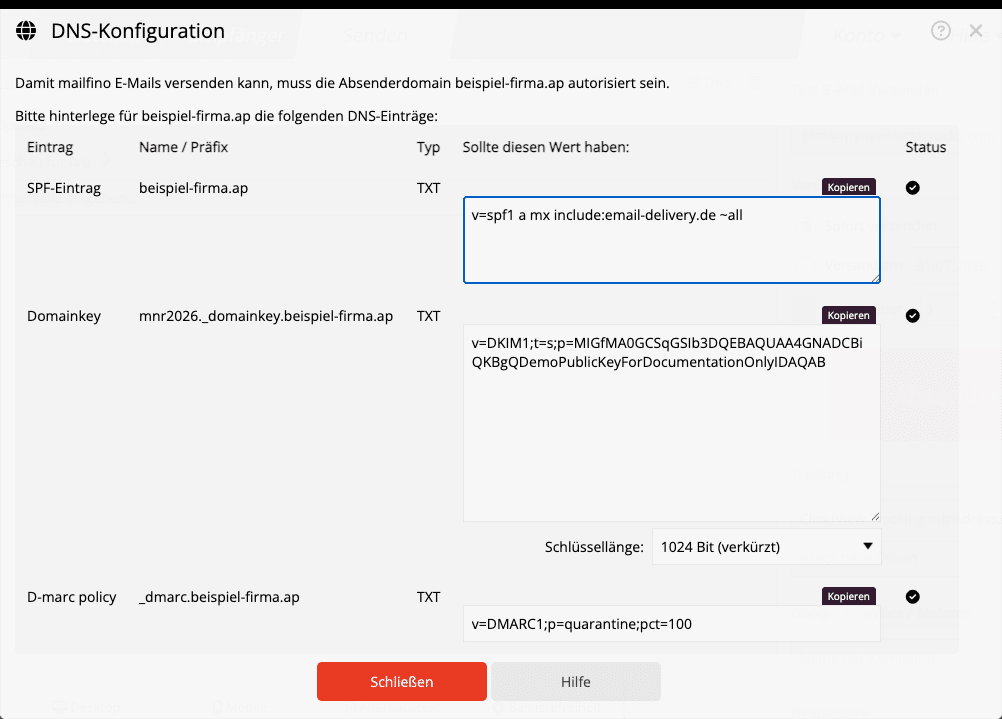
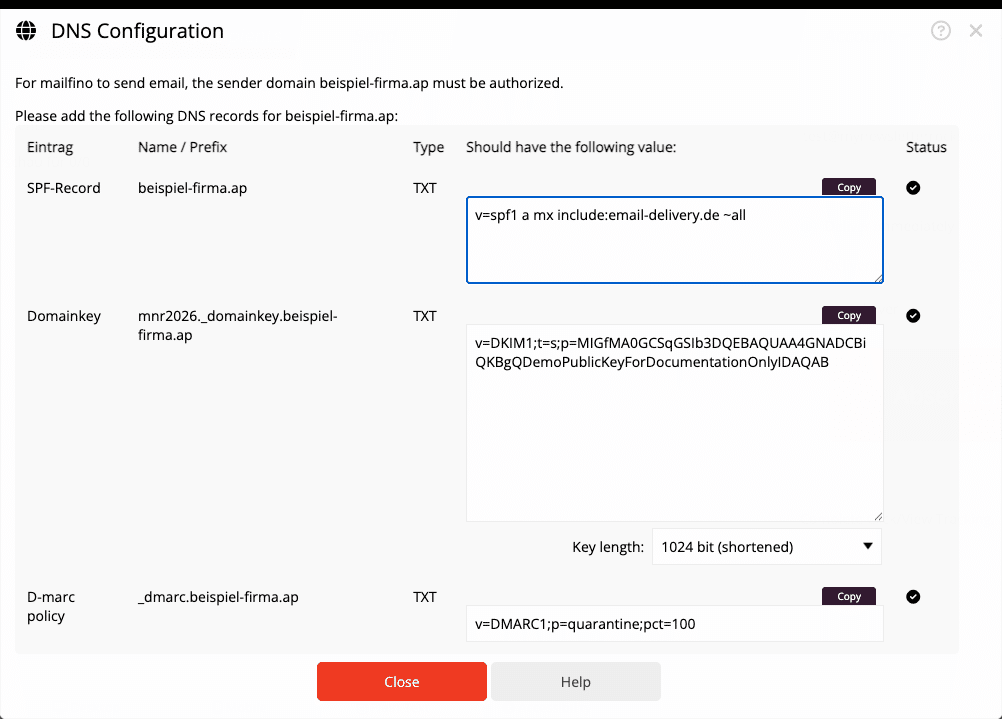
After the change, check the publicly visible TXT record and send a test message through the intended route. Compare the domain and result in the received headers with the expected values. When you have several sending routes, repeat the check for each one.
