SALESFORCE + MAILFINO
Send professional newsletters to Salesforce contacts
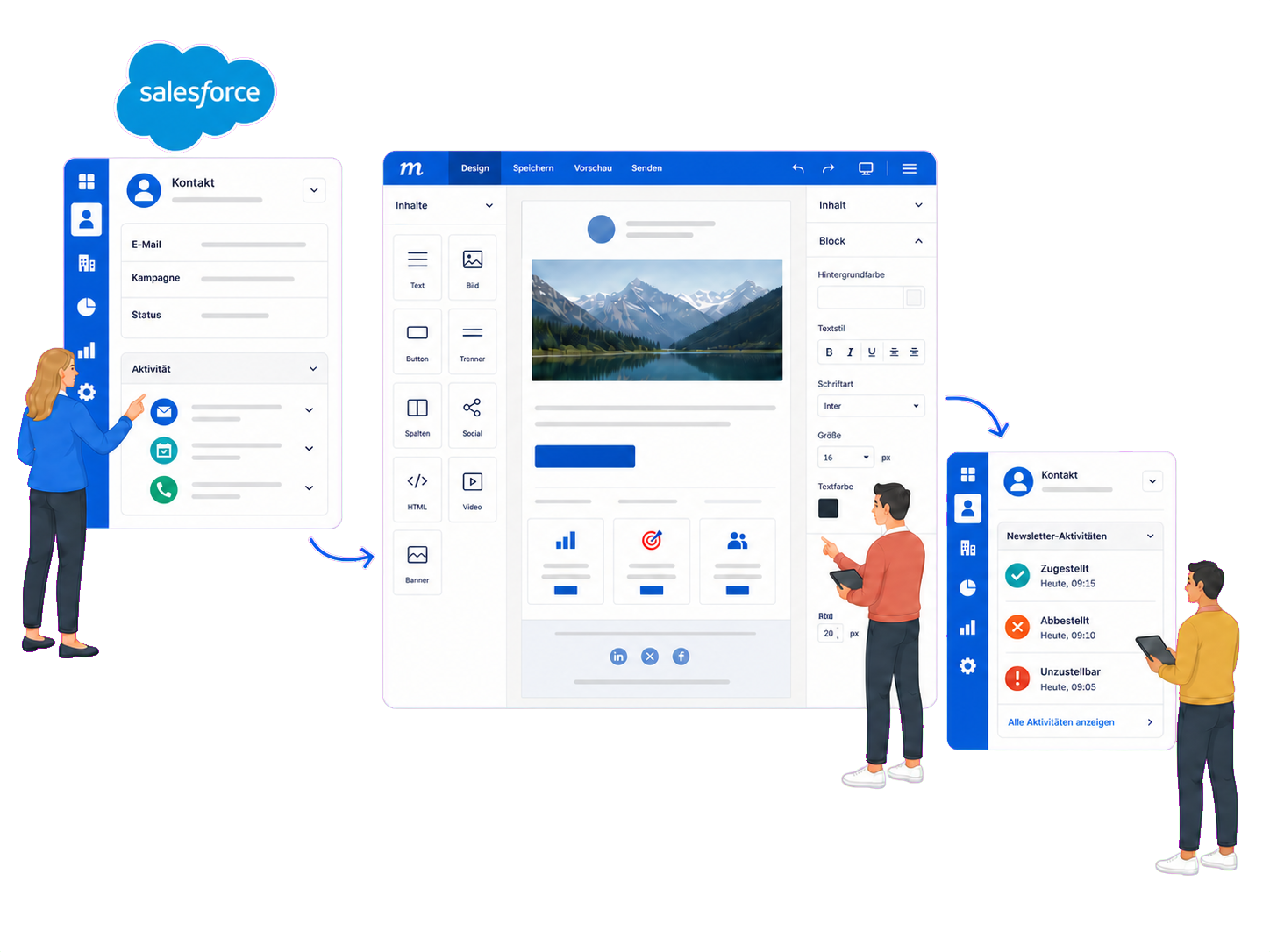
Use Salesforce Contacts and Campaigns as audiences, design and send newsletters in mailfino, and return selected sending events to the Salesforce contact.
- Direct OAuth connection
- Cloud or self-hosted
- Contacts, Campaigns and Tasks
BETWEEN LIST EMAIL AND MARKETING CLOUD
Professional newsletters without a full multichannel platform
Salesforce can send List Emails. However, newsletters with designed content, consent workflows and their own sending rules often need an additional solution. mailfino fills the gap when List Email is not enough and Marketing Cloud exceeds your actual needs.
SALESFORCE LIST EMAIL
Send directly from your CRM
Suitable for modest mail merges. Salesforce documents limits on recipient selection and daily volume, as well as the absence of a built-in dynamic unsubscribe mechanism.
MAILFINO
Extend your newsletter process
Maintain Contacts and Campaigns in Salesforce, then design newsletters, use forms and double opt-in, send and analyze results in mailfino.
MARKETING CLOUD
Orchestrate complex journeys
The right product category for large, multichannel marketing organizations with real-time journeys, mobile messaging, AI optimization and very high volumes.
Salesforce describes the limitations of List Email and points to Marketing Cloud or integrated third-party platforms for more advanced marketing emails. Check the specific Salesforce edition and organization-specific limits before implementation.
CONTACTS AND CAMPAIGNS
Use your Salesforce audiences without repeatedly transferring files
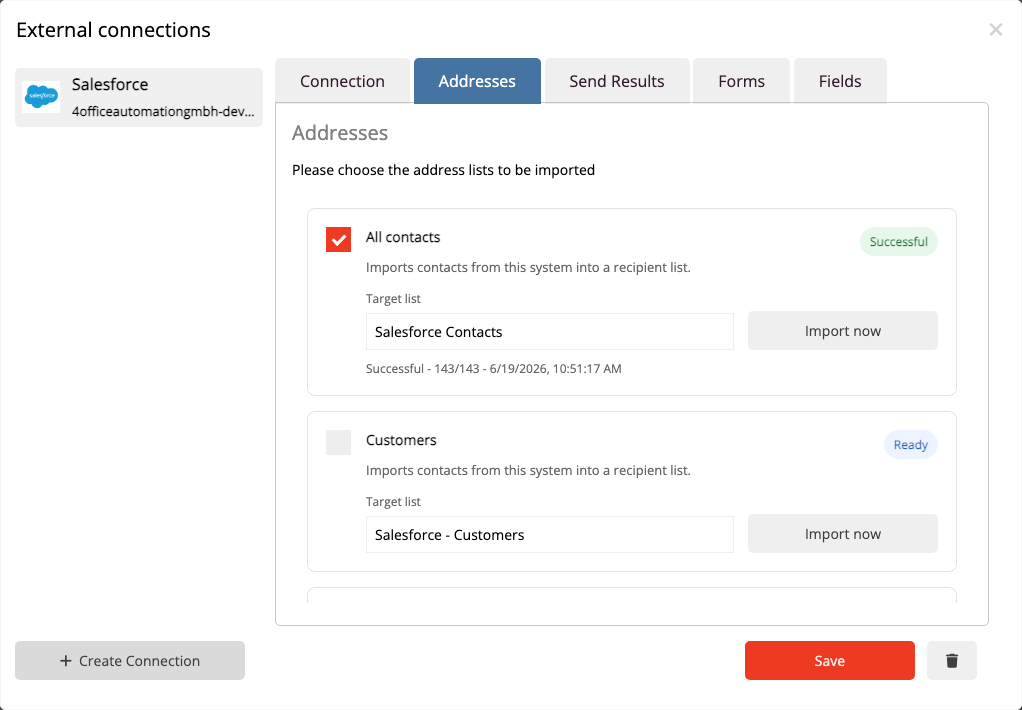
Salesforce remains the workspace for contacts and campaigns. In mailfino, decide which Contacts are available for newsletters in each recipient list.
- Import all accessible Contacts or selected Campaigns
- Assign Campaigns to different mailfino lists
- Recognize contacts by their Salesforce Contact ID
01 · Salesforce
Maintain your audience
Manage Contacts and Campaign Members in your CRM.
→
02 · mailfino
Import contacts
Make suitable audiences available in newsletter lists.
→
03 · Newsletter
Design and send
Create, check and send content, then analyze the results.
→
04 · Salesforce
Record newsletter events
Save selected events as Tasks on the Contact.
FORMS AND DOUBLE OPT-IN
Feed confirmed sign-ups into the right Salesforce workflow
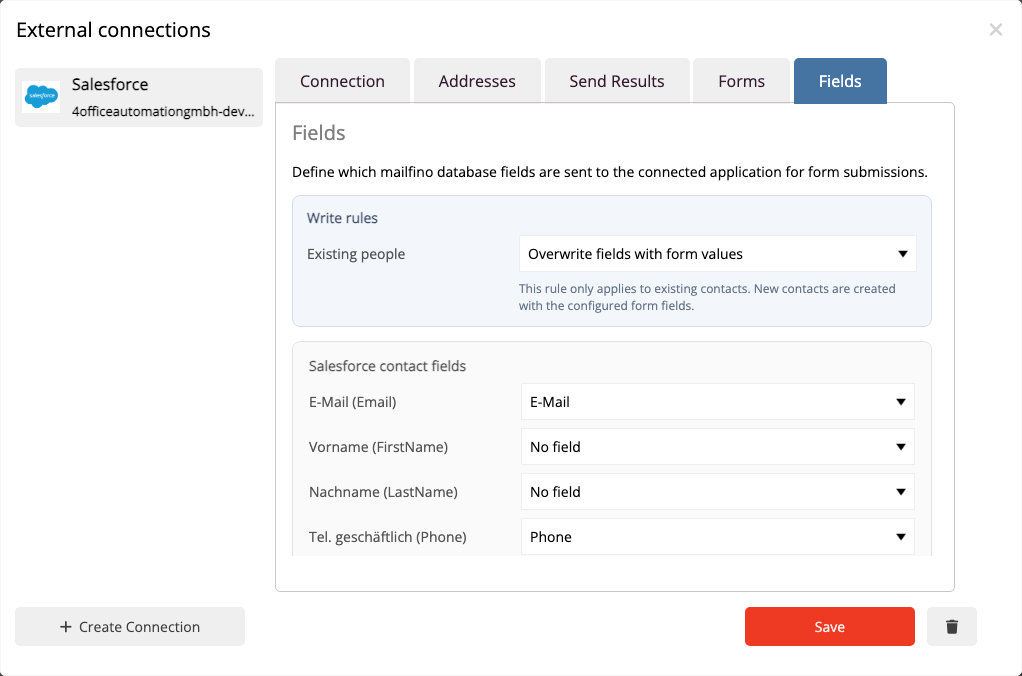
mailfino controls the transfer according to the form's opt-in mechanism. You define which Contact fields and Campaign Memberships are maintained.
- Map standard fields and writable custom fields
- Connect topic checkboxes to Salesforce Campaigns
- When double opt-in is mandatory, transfer only after confirmation
SENDING EVENTS IN YOUR CRM
Give sales and service teams relevant newsletter context
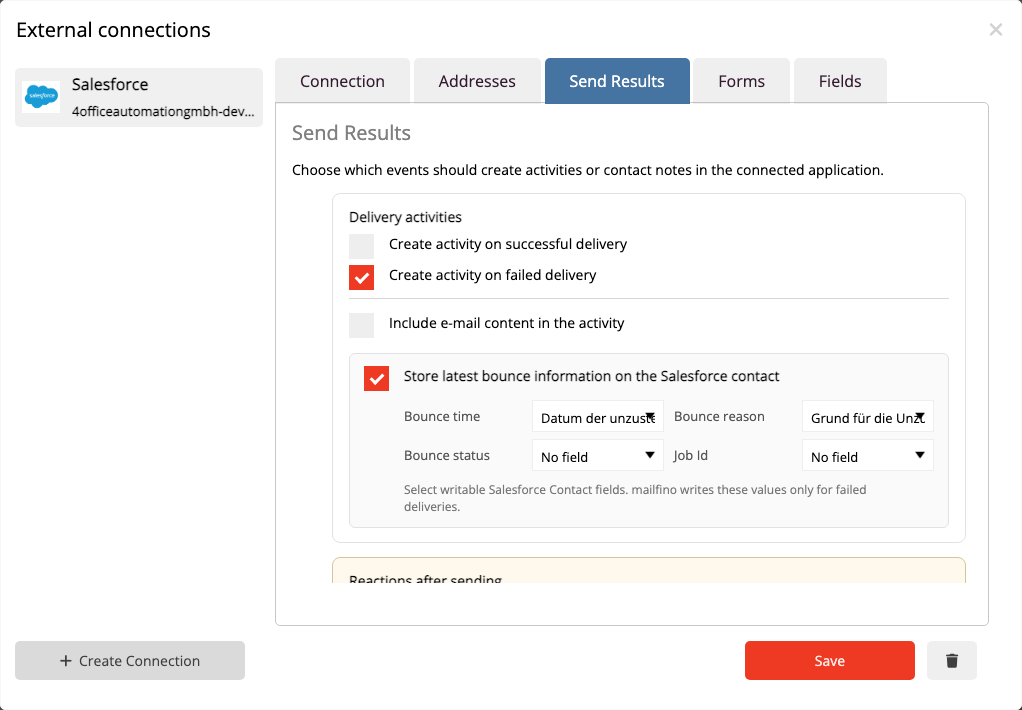
Selected sending events appear as Salesforce Tasks on the linked Contact. This makes it possible to track what happened after sending.
- Record successful and failed deliveries
- Save unsubscribes and spam complaints as activities
- Optionally write bounce information to selected Contact fields
DIRECT CONNECTION
Connect Salesforce without an additional automation platform
mailfino connects directly to your organization through an external Salesforce client application and OAuth. An additional connection through Zapier or Make is not required for the documented processes.
Cloud or self-hosted
mailfino Cloud uses the prepared callback address. With self-hosting, connect Salesforce to the publicly accessible address of your own mailfino installation.
Required: API access, a refresh token and a Salesforce user with the necessary permissions for Contacts, Campaigns, Tasks and mapped fields.
Ready for newsletters with Salesforce?
FAQ
Questions about the Salesforce newsletter integration
Do I need Salesforce Marketing Cloud?
No. mailfino uses Contacts and Campaigns directly from Salesforce Core. Marketing Cloud Engagement is the more comprehensive product category for complex real-time journeys, multiple marketing channels, very high volumes and extensive activation of Salesforce data.
Doesn't Salesforce already support List Emails?
Yes. Salesforce Core supports List Emails and templates. mailfino adds a specialist newsletter editor, forms and double opt-in, its own sending controls, unsubscribe management and newsletter reporting.
When is Marketing Cloud Engagement the better fit?
When you need complex cross-channel journeys, mobile messaging, extensive AI optimization, very high volumes or particularly deep activation of the Salesforce data model.
Which Contacts and Campaigns can mailfino import?
Contacts accessible to the connected user can be imported if they have a usable email address. Alternatively, visible Salesforce Campaigns can serve as import sources and audiences.
Is all data automatically synchronized in both directions?
No. The integration uses clearly defined processes: Contacts and Campaigns are imported as audiences; forms maintain mapped Contact fields and Campaign Memberships; selected sending events are written back as Tasks.
How are unsubscribes handled?
Unsubscribes are taken into account in mailfino's newsletter process. The event can also be recorded as a Salesforce Task on the linked Contact. This activity does not provide blanket synchronization of all Salesforce consent fields.
Which Salesforce permissions are required?
You need an external Salesforce client application with API and refresh-token access, plus the permissions actually required for Contacts, Campaigns, Tasks and mapped fields. Setup is documented step by step in the mailfino manual.
Does the connection work with self-hosting?
Yes. The callback URL then uses the publicly accessible address of your own mailfino installation and must exactly match the address used for the Salesforce OAuth login.
