FRESHDESK NEWSLETTER INTEGRATION
Use Freshdesk contacts for professional newsletters
Import selected contacts from Freshdesk into a mailfino recipient list and keep support communications clearly separate from consent, newsletter design, sending and reporting.
- Choose which contacts to import
- No additional Freshdesk plugin
- Cloud, self-hosted or Enterprise

The right solution for each task
Use Freshdesk for service communications and mailfino for newsletters
Choose the tool that fits the job: Freshdesk for service updates, Freshmarketer for multichannel automation, or mailfino for dedicated email newsletters.
FRESHDESK
Send operational updates proactively
Proactive Outreach is intended for service updates such as outages or current issues. The official documentation describes CSV-based audiences, up to 1,500 contacts per outreach and plan-dependent allowances.
FRESHMARKETER
Automate marketing across multiple channels
Freshmarketer provides email, SMS, WhatsApp, forms, segmentation, journeys and marketing reporting. Those seeking this breadth of functionality get a comprehensive Freshworks solution.
MAILFINO
Design and send regular newsletters
Import selected Freshdesk contacts, manage newsletter consent, and bring design, sending and reporting together in mailfino.
Clearly defined data flow
Import selected contacts without a manual export
Select the Freshdesk contacts you need and import them directly into a mailfino recipient list. There, you bring permission to send, newsletter design and analysis together in a clear workflow.
Freshdesk
Existing contacts from support cases
→
Choose your contacts
Check the connection, select contacts, start the import
→
mailfino list
Check permission to send and prepare newsletters
A clear newsletter workflow
Keep support, consent and newsletters in their proper roles
IMPORT
Select the contacts you need
Check the connection, then choose which contacts to import into your mailfino list.
CONSENT
Check permission to send separately
A support contact is not newsletter consent. Unsubscribes, blocklists and documented permission to send remain decisive in the mailfino workflow.
NEWSLETTERS
Bring design and analysis together
Create newsletters visually, send to the approved audience and analyze deliveries and responses independently of ticket operations.
Direct connection
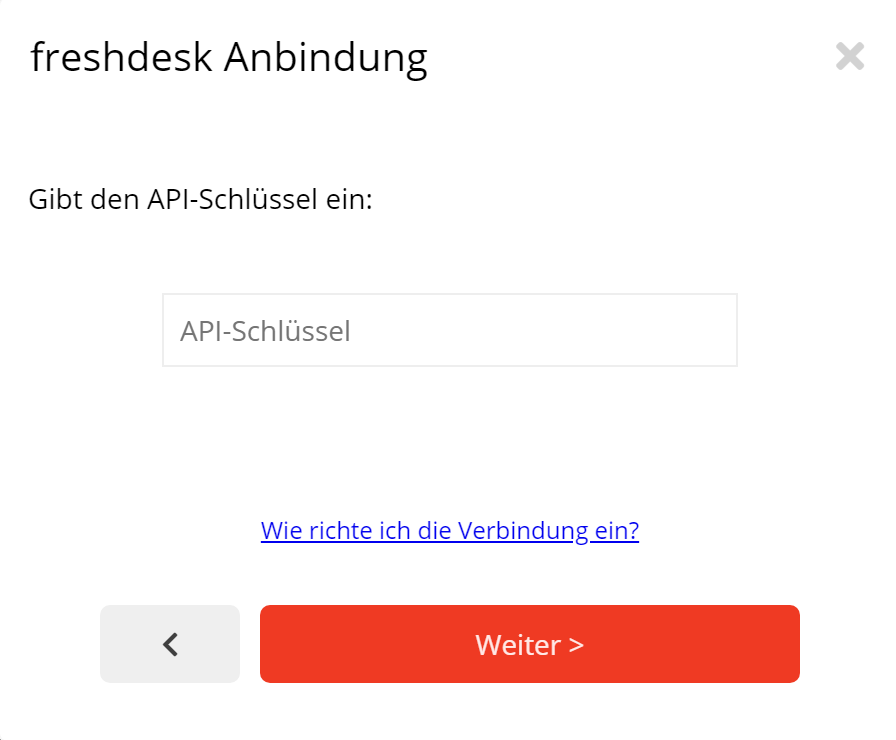
Set up Freshdesk without an additional plugin
In the mailfino connection manager, enter the URL of your Freshdesk account and the API key of an agent designated for this purpose. The connection is checked before you continue with the import.
The API key operates with the permissions of the associated Freshdesk agent and should be managed securely.
Selection rather than ticket export
Import contacts and leave support history in Freshdesk
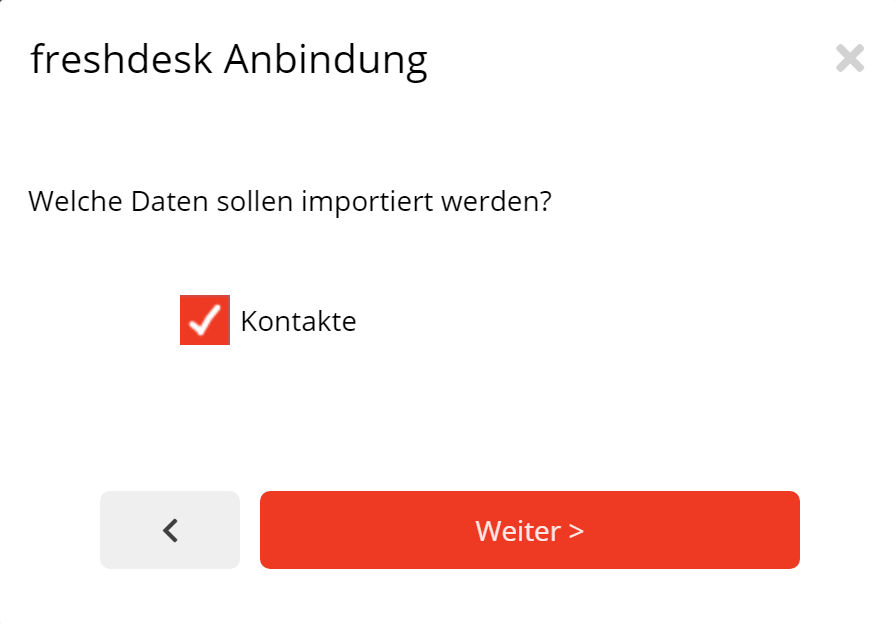
Choose Contacts as your import source. Plan your newsletter setup around contact imports; other Freshdesk objects are outside the confirmed scope.
mailfino imports selected Freshdesk contacts into a recipient list. Ticket content and support history stay in Freshdesk.
mailfino working alongside Freshdesk
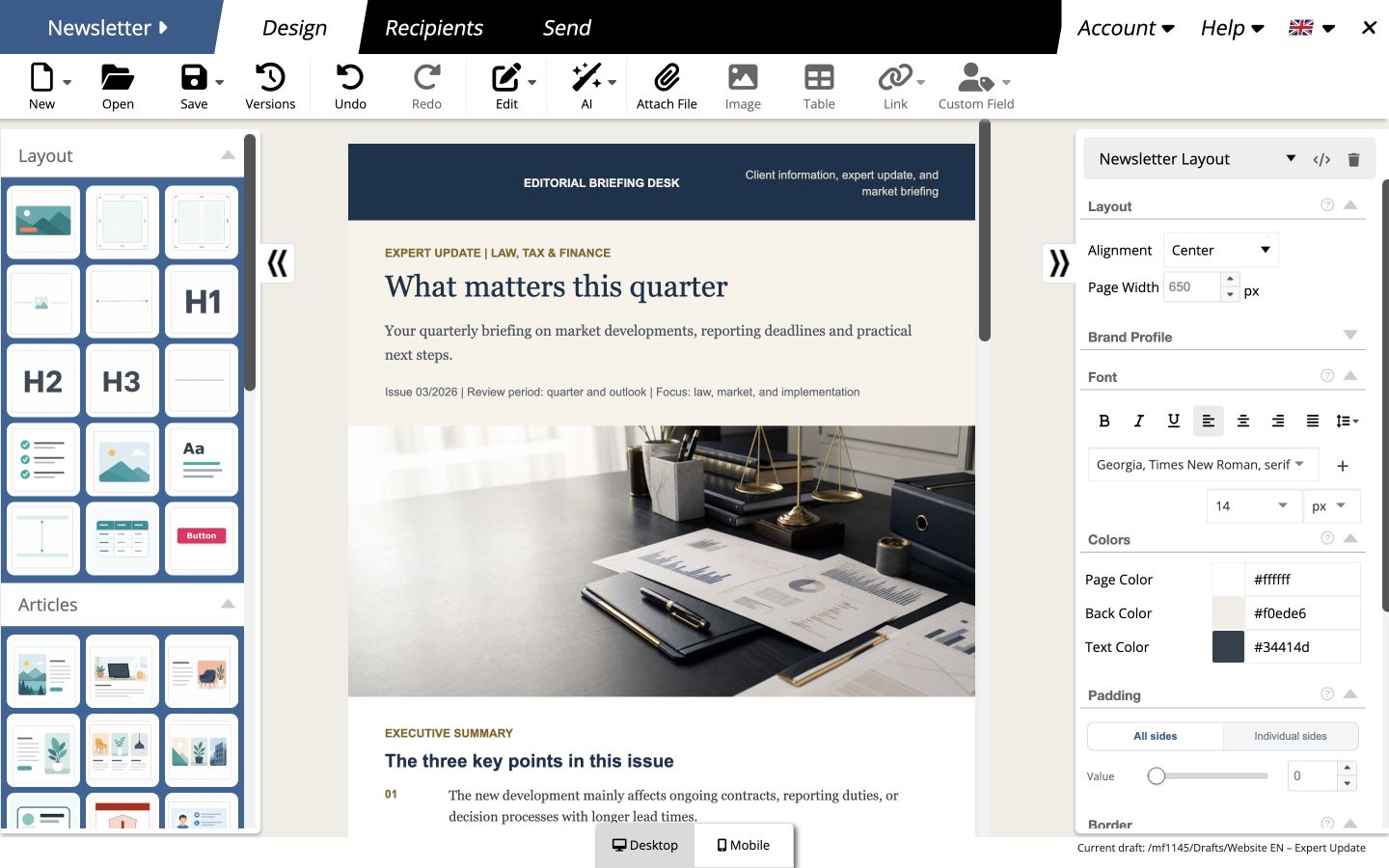
Give newsletters their own workspace
Teams design newsletters using drag and drop, check desktop and mobile views, reuse content and analyze sending. Meanwhile, Freshdesk remains the system for tickets and service communications.
Cloud, self-hosted or Enterprise
Choose where your newsletter platform runs
Freshdesk remains accessible as an external helpdesk. For mailfino, choose between a quick Cloud start, your own infrastructure and a tailored Enterprise model.
Cloud
Start directly with the newsletter workflow without operating mailfino yourself.
Self-hosting
Control newsletter data and operation on your own infrastructure. Integrations are included in the commercial variants.
Enterprise
Work together to meet individual requirements for deployment, security, integration and support.
Ready for newsletters with Freshdesk?
FAQ
Frequently asked questions about the Freshdesk newsletter integration
Why use mailfino when Freshdesk offers Proactive Outreach?
Proactive Outreach is suitable for operational service updates to a limited, imported audience. mailfino adds a recurring newsletter workflow with dedicated recipient lists, visual design, consent, unsubscribes and sending reports.
How does mailfino differ from Freshmarketer?
Freshmarketer is a broad marketing automation suite for multiple channels, journeys and behavior-based segmentation. mailfino focuses on professional newsletters and additionally offers a choice of Cloud, Selfhosting and Enterprise.
Which Freshdesk objects does mailfino import?
Import selected Freshdesk contacts into a mailfino list. Do not rely on this integration to import tickets, conversations, companies, tags or segments.
Is the import ongoing synchronization?
Use the import process to check the connection, select contacts and import them into a mailfino list. Do not rely on continuous synchronization.
Does mailfino write unsubscribes or sending data back to Freshdesk?
Do not rely on changes being sent back to Freshdesk. Manage newsletter unsubscribes and sending data in mailfino.
Is every Freshdesk contact approved to receive newsletters?
No. A support contact is not newsletter consent. Permission to send, unsubscribes and blocklists must be taken into account in the newsletter workflow.
Which credentials are required?
The existing integration uses the Freshdesk account URL and the API key of a Freshdesk agent. The key operates with that agent's permissions and should be managed securely.
Can mailfino run in the cloud or be self-hosted?
Yes. The integration is intended for mailfino Cloud, commercial Selfhosting and Enterprise. Selfhosting Lite does not include integrations.
