Glossary Reporting
What is the click rate in email marketing?
A newsletter’s click rate is the share of delivered emails whose recipients clicked at least one tracked link.

On this page
On this page
The click rate shows whether a newsletter prompted readers to take an action, such as viewing an event programme or visiting a registration page. Which link matters depends on the campaign goal.
For the usual unique click rate, count each recipient only once. When comparing reports, check what each system uses as the denominator and whether it filters out automated clicks.
Calculating the click rate
Worked example
Divide the number of people who clicked at least once by the number of delivered emails, then multiply by 100. For 45 people and 1,000 delivered emails, the click rate is 4.5%.
- 45 first clicks
- 35 additional clicks
Clicks in the sending report
The sending report can count clicks across the whole campaign or for each link. If 30 people click the registration link and 25 click the programme link, that is 55 unique clicks at link level. If ten people clicked both links, 45 people clicked across the campaign.
Click maps
A click map shows recorded clicks at their link positions in the newsletter. For example, you can compare a programme button with a text link to the same page if the report tracks those positions separately. Check whether the click map counts all clicks or unique clicks per link.
Check whether the campaign metric includes the web-version or unsubscribe link. Overall clicks can rise while the primary link receives fewer clicks. Report on it separately and apply the same inclusion rules when comparing campaigns.
CTR and click-to-open rate
CTR stands for click-through rate. In advertising, it is usually clicks divided by impressions. In email reports, CTR often means the click rate calculated against delivered emails. Click-to-open rate (CTOR) uses recorded unique opens as its denominator. With 45 unique clickers and 300 recorded unique opens, CTOR is 15%. Apple Mail Privacy Protection can cause automatic opens to be recorded, which can affect how comparable CTOR is.
- Click rate (CTR)4,5 %4.5 %45 ÷ 1000 × 10045 people who clicked
1,000 delivered emails - Click-to-open rate (CTOR)15 %45 ÷ 300 × 10045 people who clicked
300 recorded unique opens
Suppose campaign A reaches 1,000 recipients and records 300 opens and 45 unique clickers. Campaign B also reaches 1,000 but records 100 opens and 20 clickers. A has the higher click rate at 4.5%. B has the higher CTOR at 20%. Use click rate to compare how much of the audience clicked. CTOR can help answer questions about clicks relative to opens, provided opens were measured in a comparable way.
Comparing click rates
A comparison means more when audience, campaign type and calculation are similar. A promotional email with one prominent button serves a different purpose from a membership newsletter with several events. Start by comparing sends from the same segment or newsletter series. Industry figures can provide context if you know which campaigns were included and whether automated clicks were filtered. In a small audience, a handful of clicks can noticeably shift the percentage.
These details make campaigns easier to compare:
- Delivered emails and unique recipients who clicked
- Measurement period and campaign goal
- Changes to tracking and bot filters
Compare a series at the same interval after sending. If you measure only the main link, use that definition in both reports.
Use both figures when comparing monthly results. The click rate shows the share of recipients who clicked. The absolute count shows how many people you prompted to click.
- Monthly newsletter3% click rate300 of 10,000
- Special edition5% click rate50 of 1,000
Limits of click tracking
Security software can automatically check links and trigger clicks. People can open a link repeatedly or leave before the analytics tool records a visit. Privacy and browser settings also affect which visits are visible. Investigate unusual click patterns and compare sending data, measured website visits and conversions side by side. UTM parameters can attribute visits to a campaign when the destination site records the data.
If many recipients appear to click every link shortly after delivery, security scanning may be involved. The pattern is a clue rather than proof about any particular click. Find out how the report handles bot activity and compare results only when the same filtering method was used. When you see a spike, also check whether the email link was configured correctly and where any redirects lead.
Unusual click patterns
Check whether the audience size or mix changed, which links gained clicks and whether the timing suggests automated activity. If registrations are the goal, compare successful signups too. A rise can reflect a stronger email, a more active segment or a measurement change.
If a send records 45 unique clickers but the landing page shows only three signups, first check that both reports cover the same campaign and period. Then open the link from the email on a phone. Does the page heading match what the newsletter promised? Does the page load, and is the form easy to reach? A strong click rate shows that the link drew interest. What visitors do next also depends on the landing page.
- Newsletter click45people
- Landing page visit32visits
- Form submitted3sign-ups
Checking and improving click rates
Open the test email in at least one mobile email app and click the main link and any links to distinct destinations. After a redirect, check that the correct page loads and campaign tags survive. If the report lists links separately, see how it handles repeated destination URLs. That makes it easier to tell whether zero clicks means no interaction or a link was recorded differently.
First check that the linked content meets a clear audience need. A link labelled “See dates and register” explains the next step better than “Click here”. Check whether the main link is easy to find and tap on a phone. In an A/B test, you could vary the wording or placement of the main link. Decide beforehand whether you are comparing the whole email's click rate, unique clicks on that link or conversions on the landing page.
If the email was delivered successfully but few people clicked the main link, check how well the content fits the segment. Existing customers may need a different introduction from people who have never bought from you. Explain the specific benefit before the link, make the next step visible and avoid competing calls to action when the send has one main goal. If several events or offers are equally important, a clear layout can help readers find the right one.
An editorial newsletter can serve several different needs. Check which links actually matter to each segment. Put the main link where it makes sense and give similar links distinct labels. A second link to the same destination can help readers take the same next step after they have read further details. Tracking each placement separately lets you see which was used more often.
An A/B test for the main link
Before the A/B test, choose what will decide the result, such as unique clicks on the main link. Randomly split comparable recipients into two equally sized groups and measure over the same period. With few clicks, confirm a small lead in another send.
- Variant A
- Variant B
Click rates in the mailfino sending report
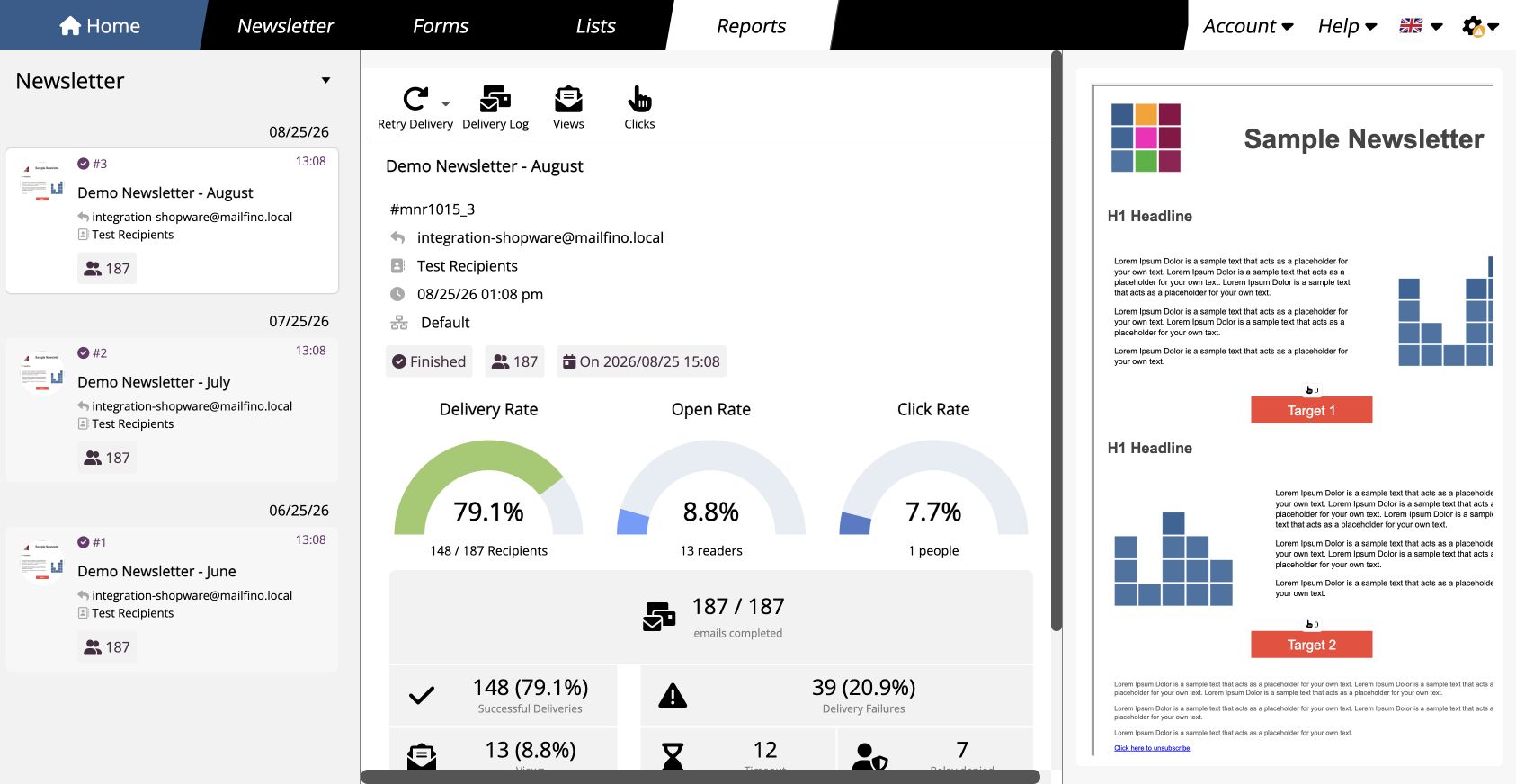
Depending on the tracking settings, the mailfino sending report shows how many recipients clicked links. Delivery status and technical errors are available with tracking disabled.
In the newsletter preview, mailfino groups clicks by URL. If a text link and a button use the same URL, the preview shows the total for that URL.
Sending and reporting · Click reporting in the mailfino handbook (German)
