Glossary Reporting
What are UTM parameters in email marketing?
UTM parameters are tags added to a URL so web analytics can attribute visits to a source, a channel and a campaign.

On this page
On this page
A club promotes its spring programme in the member newsletter and in a post on the city portal. Both links lead to the same registration page. A shared campaign name and distinct channel tags let the club distinguish the visits later.
Source, channel and campaign in the URL
utm_source identifies the source, utm_medium the channel type and utm_campaign the shared initiative. Both links in the graphic lead to the same spring programme.
Three tags identify where a visit came from
https://example.org/programm?utm_source=mitgliedernewsletter&utm_medium=email&utm_campaign=fruehjahrsprogrammhttps://example.org/programm?utm_source=stadtportal&utm_medium=referral&utm_campaign=fruehjahrsprogrammIf the URL has no query string yet, add a question mark before the first parameter. Separate additional parameters with an ampersand (&). Use consistent spelling for the same campaign and keep personal information out of the tags.
For manually tagged links, utm_content can distinguish two variants. For example, kopf_button identifies the button at the top and programm_link the text link in the programme section. To compare two variants in a controlled test, see the guide to A/B testing
UTM parameters in Google Analytics Help
From a newsletter click to registration
The sending report records clicks. Web analytics attributes recorded visits using the UTM parameters. A signup appears in analytics if the website records the completed submission as an event.
- Sending reportLink clickClick on the spring programme.
- Web analyticsVisitVisit with campaign tags.
- FormSign-upRecorded completion on the landing page.
In this example, the sending report shows 45 people who clicked. Filter web analytics by the same campaign, date range and the mitgliedernewsletter source. That keeps city portal traffic out of the comparison. If analytics then shows 32 visits, check redirects, tracking on the landing page and how each tool counts. See the guide to the click rate
Check UTM parameters after redirects
- Open the link from the test email and check the final address in the browser.
- If tags are missing, open the destination address with the tags directly. If the direct visit works, check the redirect.
- If the tags are present in the final address, check whether analytics recorded the visit and whether your filters include it.
Campaign tagging in mailfino
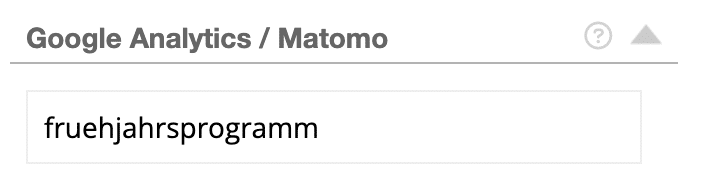
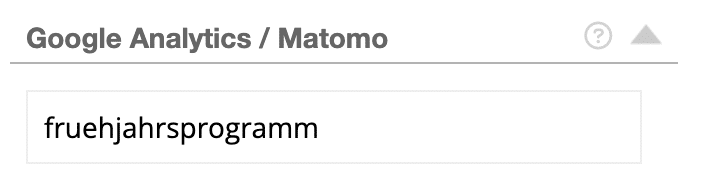
In the sending preview, open “Google Analytics / Matomo” and enter fruehjahrsprogramm as the campaign name. mailfino adds the campaign parameters to eligible newsletter links.
https://example.org/programm?utm_source=mailfino&utm_medium=email&utm_campaign=fruehjahrsprogramm&utm_content=[JobID]If your links already contain UTM parameters, values may appear twice. Open the link from a test email and check the final address on the landing page.
