CENTRALSTATIONCRM + MAILFINO
Reach your CentralStationCRM contacts directly with newsletters
Use people and tags from CentralStationCRM as newsletter audiences, design and send in mailfino, and record selected sending events on each person's record.
- Direct API connection
- Cloud, self-hosted or Enterprise
- People, tags and history events
FROM GROUP EMAIL TO NEWSLETTERS
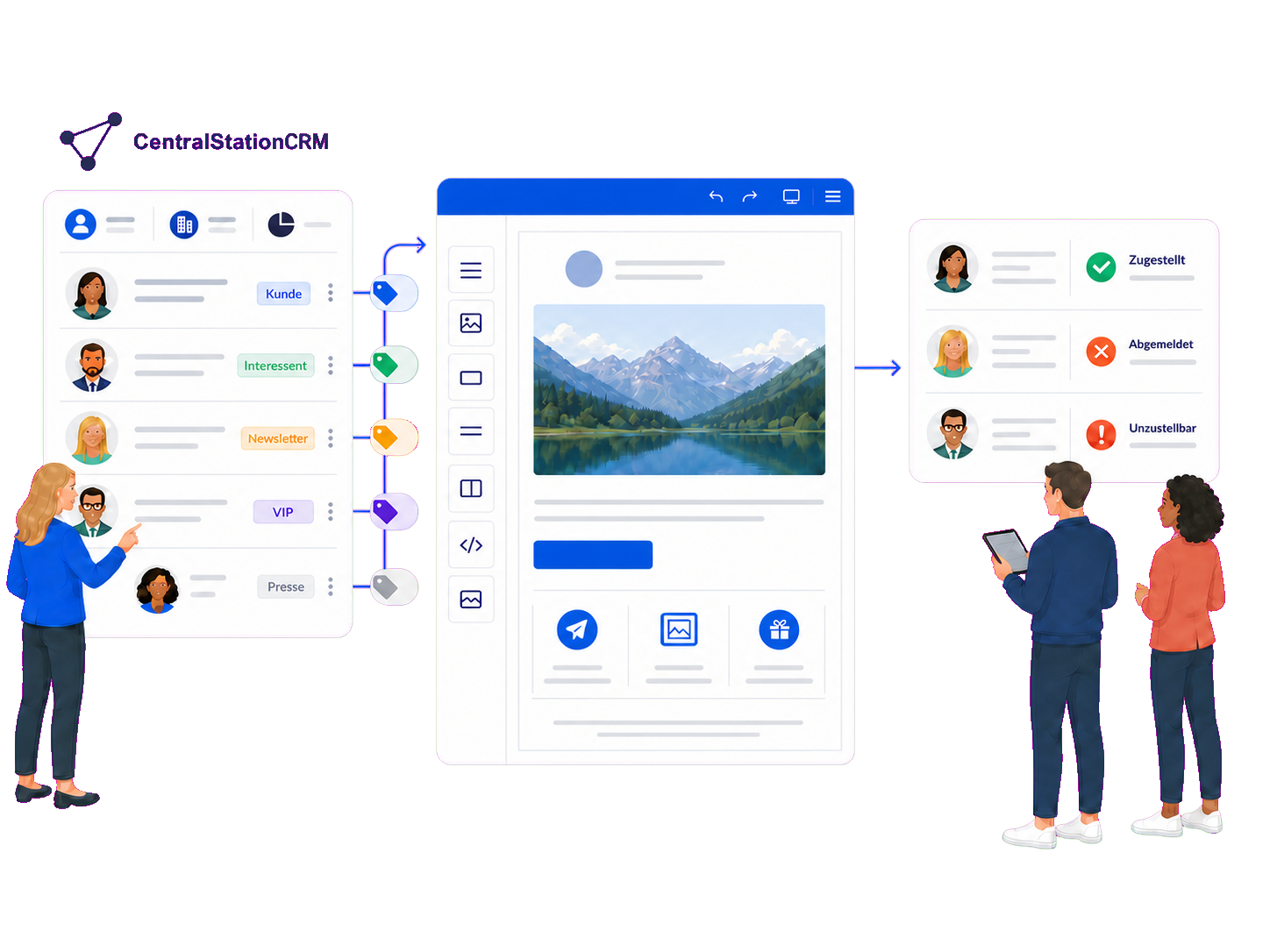
Send newsletters without exporting contacts every time
CentralStationCRM remains your clear, organized contact database. mailfino adds a professional newsletter process with design, audiences, forms, sending and reporting.
PERSONAL GROUP EMAIL
Personal emails to small groups
CentralStationCRM can pass up to 30 selected people to your local email application as BCC recipients. This works well for personal messages to small groups.
FILE-BASED WORKFLOW
Prepare newsletters using files
The documented route to external newsletter software involves filtering contacts, exporting them to Excel and importing them. Results can later be prepared as a file again.
MAILFINO INTEGRATION
Import people and tags directly
Build newsletter audiences from people and tags. Send form data and selected delivery, unsubscribe and complaint events back to the CRM.
CentralStationCRM recommends combining it with a specialist newsletter solution for professional newsletters. The direct mailfino integration adds documented data flows to this approach without an additional automation platform.
MAILFINO IN THE NEWSLETTER WORKFLOW
Design and send professional newsletters in mailfino
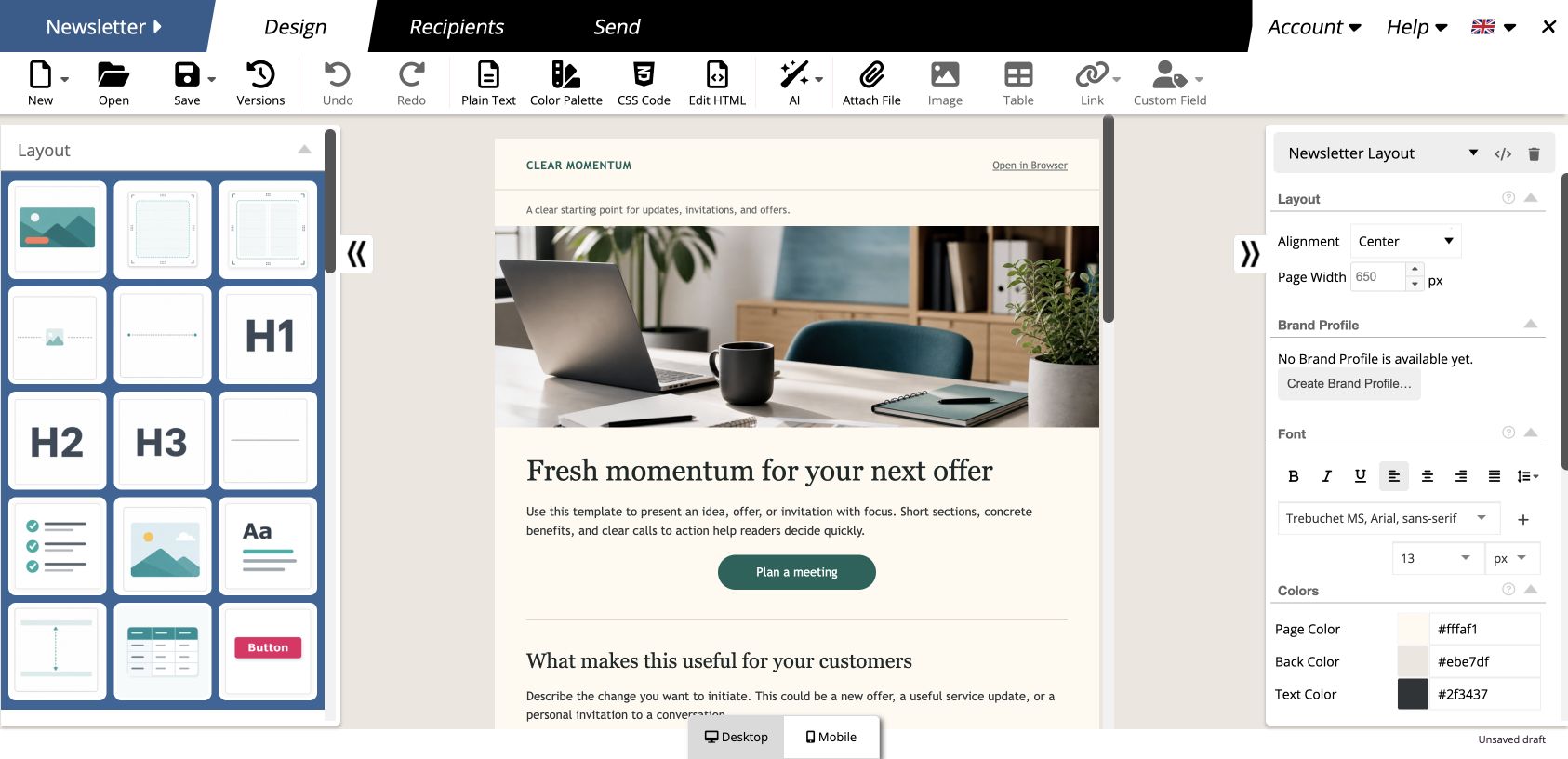
mailfino adds a dedicated newsletter workspace to CentralStationCRM: create content visually, check its mobile appearance, manage sending and analyze results.
- Design newsletters with drag and drop
- Customize desktop and mobile views
- Clearly analyze sending and responses
PEOPLE AND TAGS
Use people and tags directly as newsletter audiences
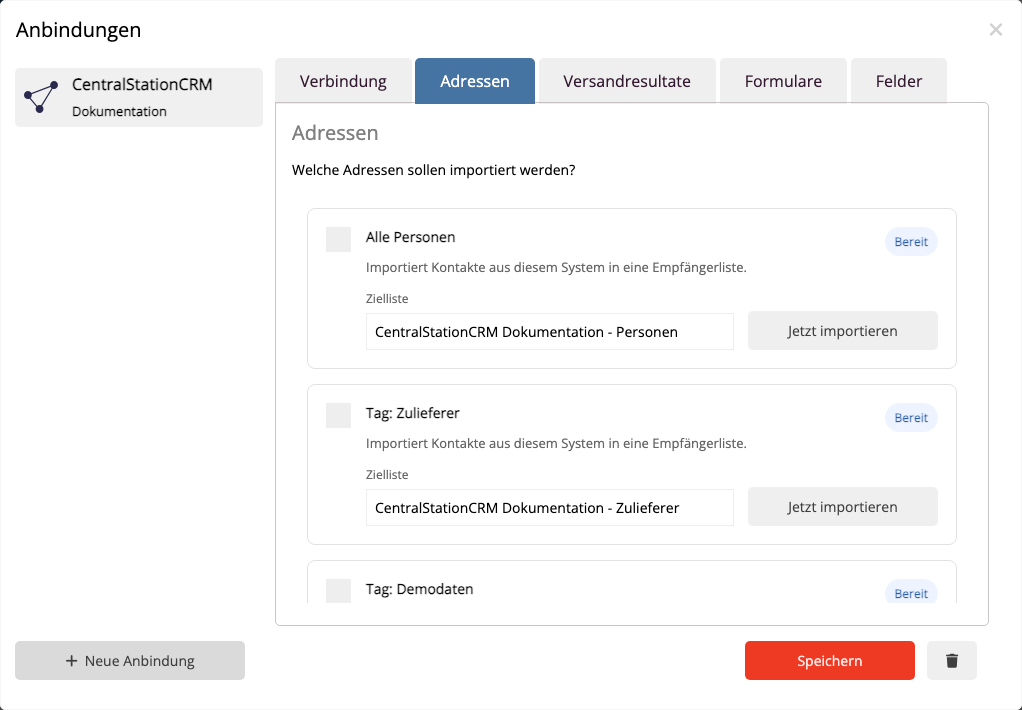
Import all accessible people or select specific CentralStationCRM tags. Each selected tag creates a separate import profile with a corresponding mailfino list.
- Import the primary email address, names, company and phone number
- Select tags as reusable import sources
- Recognize linked people when importing again
01 · CentralStationCRM
Organize people
Maintain contacts and assign relevant tags.
→
02 · mailfino
Import audiences
Make people or selected tags available in newsletter lists.
→
03 · Newsletter
Design and send
Create, check and send content, then analyze the results.
FORMS AND CONSENT
Add contacts and interests to your CRM from forms
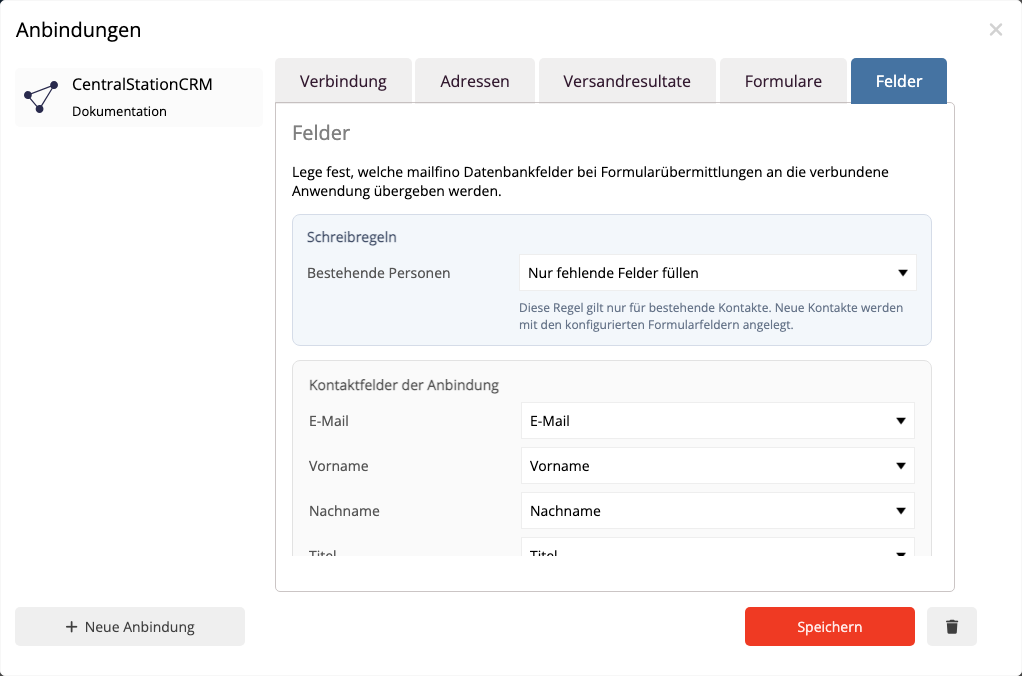
mailfino forms can create or update people in CentralStationCRM. You choose which form fields and interests to maintain in your CRM.
- Identify existing people by email address
- Map form fields to specific person fields
- Set interests from checkboxes as CentralStationCRM tags
When there are multiple matches, mailfino does not automatically overwrite a person. It flags the submission for review.
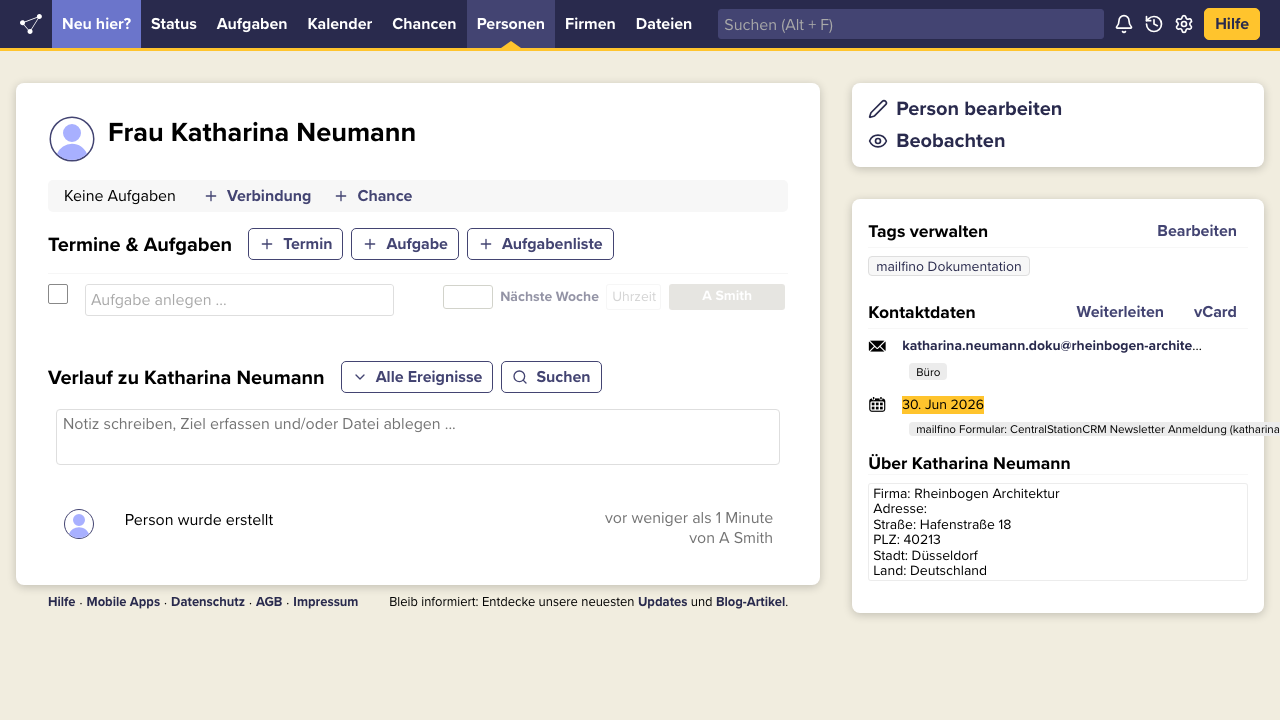
SENDING EVENTS IN YOUR CRM
Track important sending events directly in your CRM
Selected sending events appear as history events on the linked person record. Sales and service teams can see relevant newsletter context where they already work.
- Record successful and failed deliveries
- Make unsubscribes and complaints visible
- Record form updates in the person's history
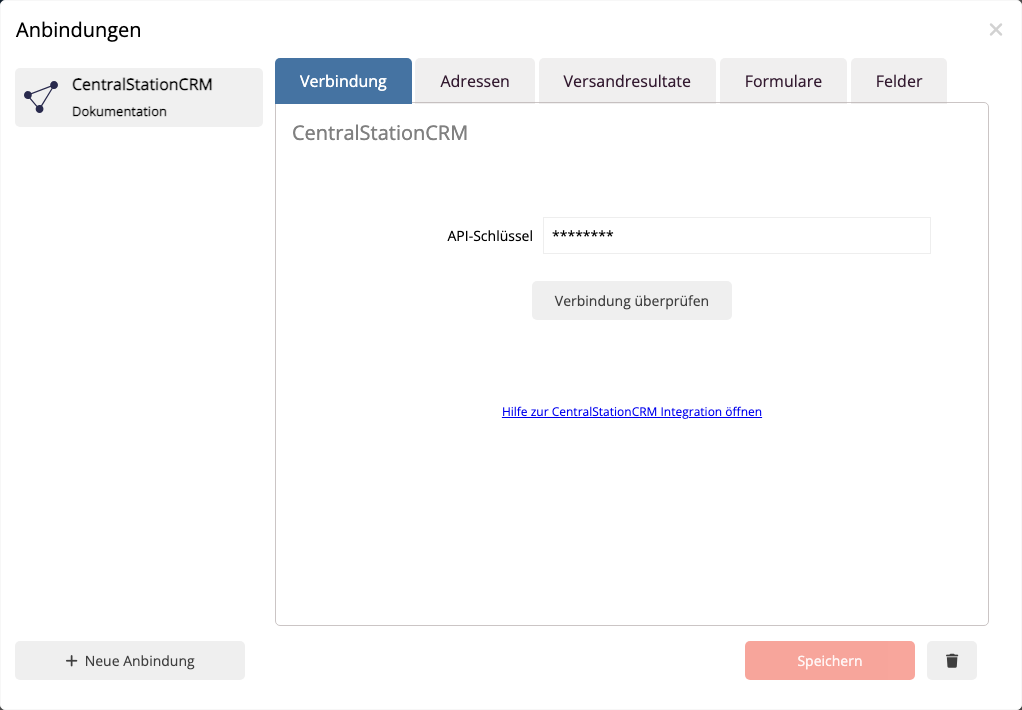
DIRECT API CONNECTION
Connect CentralStationCRM in a few steps
An API key from CentralStationCRM is all you need for the documented connection. Before saving, mailfino checks that it can read people and tags.
DEPLOYMENT MODEL
Cloud, self-hosted or Enterprise
Cloud
Get started quickly without running the mailfino platform yourself.
Self-hosting
Run mailfino on your own infrastructure and connect it to CentralStationCRM.
Enterprise
Meet individual requirements for operations, integration and support.
Ready for newsletters with CentralStationCRM?
FAQ
Questions about the CentralStationCRM newsletter integration
Can CentralStationCRM send newsletters itself?
CentralStationCRM can pass up to 30 selected people to your local email application as BCC recipients and has its own web forms. For professional newsletters, the vendor recommends a specialist newsletter solution. mailfino adds an editor, recipient workflows, sending and reporting.
Which people and tags can mailfino import?
All people accessible to the API key are available as the default source. Existing tags also appear as individual import sources, each of which can be assigned to a mailfino recipient list.
Are CentralStationCRM filter groups supported?
Filter groups are not currently available as import sources. Use CentralStationCRM tags for reusable audiences.
Is all data automatically synchronized in both directions?
No. The integration uses clearly defined processes: people and tags are imported as audiences, forms maintain mapped person fields and tags, and selected sending events are saved as history events.
What happens when a form is submitted?
mailfino searches by email address. If exactly one match is found, it is updated. If no match is found, a new person is created. Multiple matches are flagged for review.
Which sending events appear in the person's history?
Successful and failed deliveries, unsubscribes and complaints are supported, provided they have been enabled and the recipient is linked to a CentralStationCRM person.
Which deployment models support the integration?
The CentralStationCRM integration can be used with mailfino Cloud, self-hosted deployments and Enterprise.
What is needed for the connection?
You need an API key from “Manage external applications (API)”. Enter it in the mailfino integration manager. It can be revoked in CentralStationCRM at any time. The technical setup is described in the mailfino manual.
