LEXWARE OFFICE + MAILFINO
Reach Lexware Office contacts with targeted newsletters
Create newsletters for selected Lexware Office customers and suppliers. Import contacts into mailfino for design, sending and reporting, and use forms to create or update contacts in Lexware Office.
- Import customers and suppliers
- Create or update contacts from forms
- Cloud, self-hosted or Enterprise

ACCOUNTING AND NEWSLETTERS WITH CLEAR ROLES
Add professional email marketing to Lexware Office
Lexware Office manages customers and suppliers for accounting, quotations and documents. Its own email features focus on sending documents and recurring invoices. mailfino adds a workspace for newsletters, forms, sending and reporting.
- Import contacts without repeated CSV exports
- Design newsletters visually and optimize them for mobile devices
- Manage consent, unsubscribes and sending separately from accounting
LEXWARE OFFICE
Manage business contacts
Customers, suppliers and their contact details remain part of the business administration workflow.
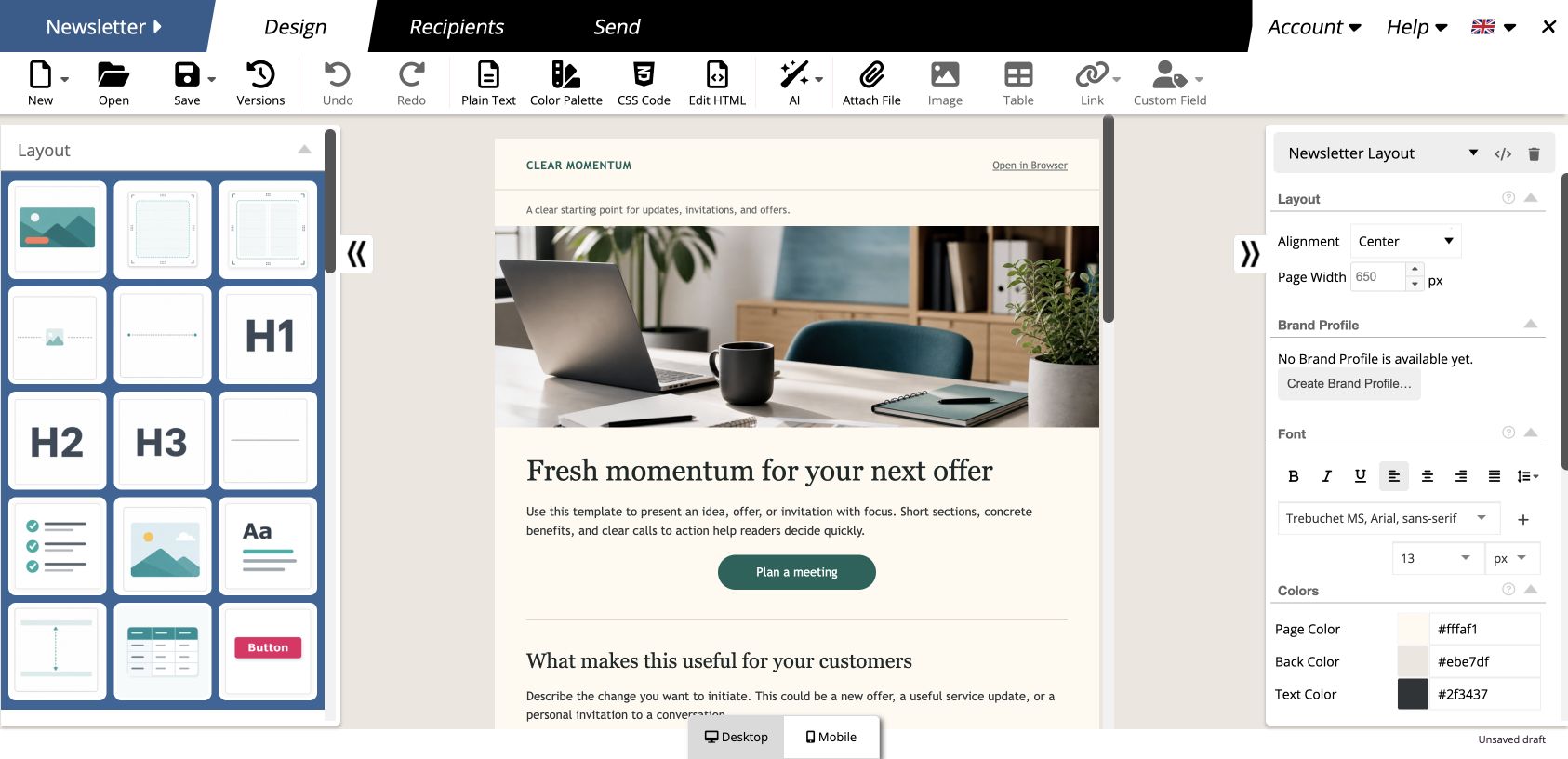
MAILFINO
Design and send professional newsletters
Lists, editor, forms, sending and reporting form a connected newsletter workflow.
CLEAR BOUNDARY
Accounting data stays separate
Invoices, documents, revenue, campaigns and sending activity are not synchronized between the systems.
IMPORT CUSTOMERS AND SUPPLIERS
Make Lexware contacts available for newsletters without exchanging files
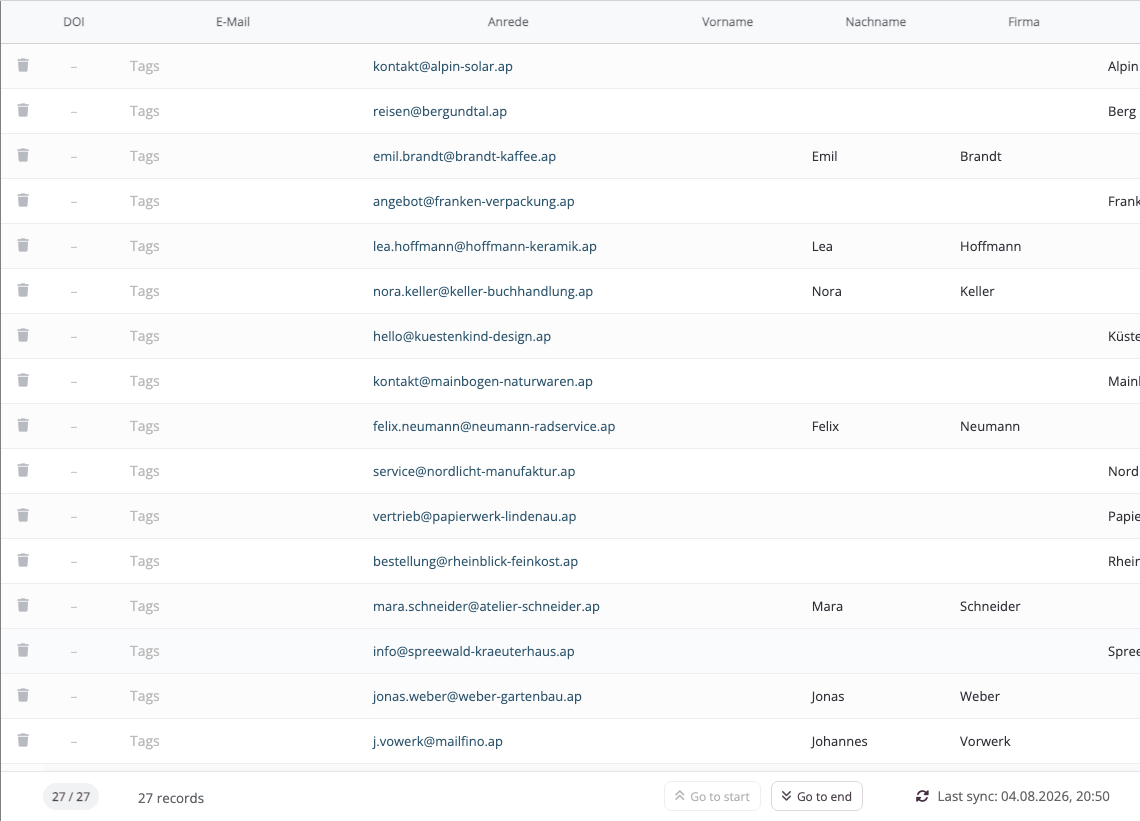
Choose customers, suppliers, all accessible contacts or contacts with both roles as the import source. mailfino imports the selected records into a contact list.
- Import primary email address, name, company, telephone and billing address details
- Update already linked contacts through the stable Lexware ID when reimporting
- Do not import archived contacts as active addresses
No ongoing sync: Imports and reimports are triggered in mailfino. Records deleted or changed in Lexware are not mirrored in real time.
01 · Lexware Office
Select contacts
Customer and supplier roles determine the import source
→
02 · mailfino
Map contacts
Check fields and assign the records to a newsletter list
→
03 · Newsletter
Reach recipients you have permission to contact
Check consent, design newsletters, send and analyze
FORMS WITH CLEAR MAPPING
Update Lexware Office contacts from your forms
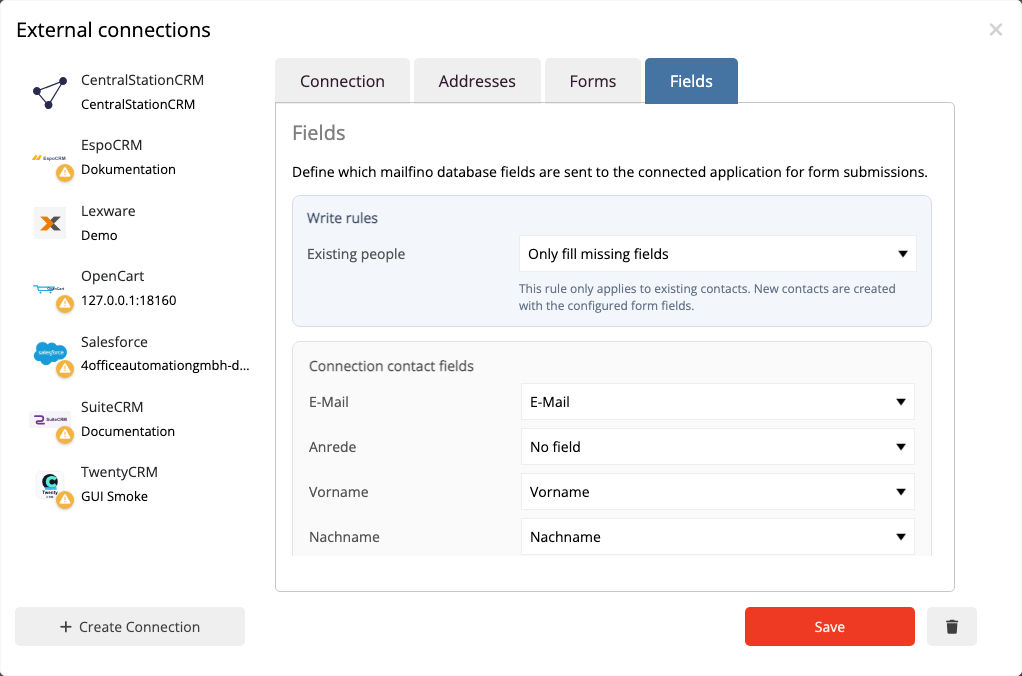
A mailfino form can create a new Lexware contact with a customer role or update exactly one existing contact. You determine which form fields are written to which Lexware fields.
- Update the existing contact if there is exactly one email match
- Create a new customer contact if there is no match
- Flag multiple matches or ambiguous contact fields for review
Timing follows the selected form process: immediately without double opt-in, or only after confirmation with double opt-in. Unsubscribes are not transferred to Lexware.
A CONTACT IS NOT CONSENT
Send only to recipients you actually have permission to contact
Customer or supplier status in Lexware Office does not create newsletter consent. mailfino handles permission to send, double opt-in, unsubscribes and blocks independently of the business contact role.
- Contacts without an email address can be imported but cannot receive emails
- Form data transfer and newsletter consent remain clearly separated
- Sending events and unsubscribes stay in mailfino and are not written to Lexware
CLOUD, SELFHOSTING OR ENTERPRISE
Choose deployment to suit your data strategy
The Lexware Office integration is available in the commercial deployment models. Selfhosting Lite does not include integrations.
CLOUD
Get started directly
mailfino is operated for you and accesses the required Lexware contacts through the protected API key.
SELF-HOSTING
Run it yourself
Run mailfino on your infrastructure and connect the installation directly to the Lexware API.
ENTERPRISE
Tailored integration
For larger organizations with individual requirements for operations, security, integration and support.
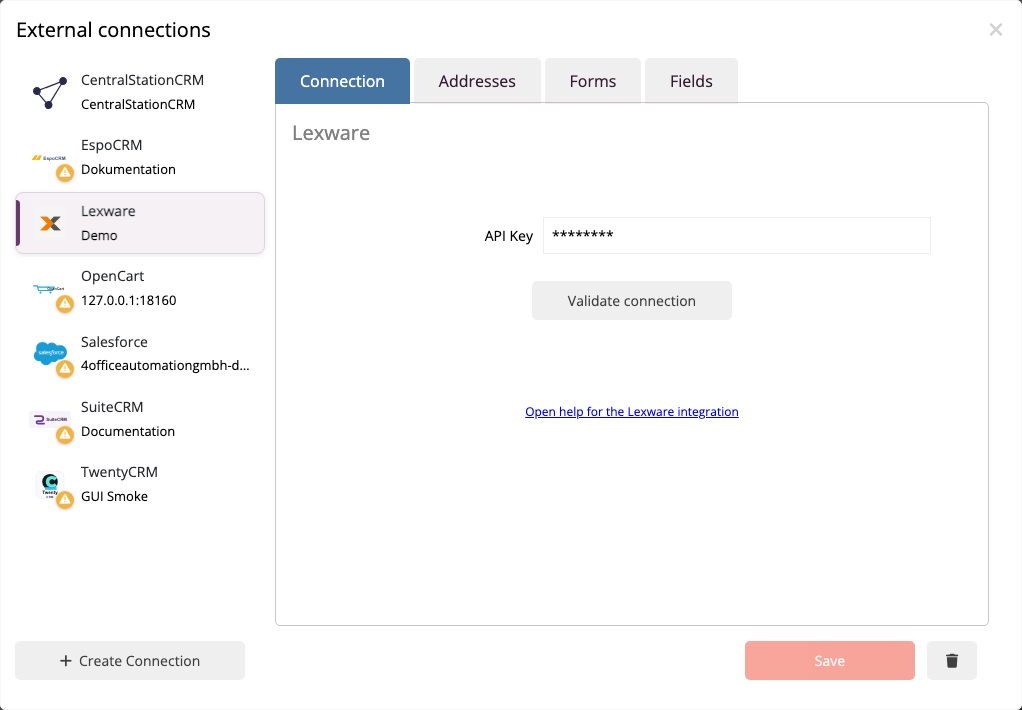
Connect with a dedicated API key
For imports, the key requires read permissions for contacts. Form submissions also require create and edit permissions. Technical setup remains in the manual.
Ready for newsletters with Lexware Office?
FAQ
Questions about the Lexware Office newsletter integration
Can Lexware Office send newsletters itself?
Lexware Office provides email features for quotations, invoices and recurring documents. However, the official feature overview does not list a dedicated newsletter campaign environment. mailfino adds an editor, lists, forms, sending and reporting for this purpose.
Which Lexware products are supported?
The integration relates to Lexware Office, formerly lexoffice. It does not automatically apply to Lexware desktop products or Lexware eCRM.
Which contacts can mailfino import?
The options are customers, suppliers, all accessible contacts and contacts with both customer and supplier roles. Archived contacts are not imported as active mailfino addresses.
Are contacts synchronized automatically?
No. Imports and reimports are triggered in mailfino. Already linked contacts are recognized by their Lexware ID; there is no ongoing real-time synchronization.
How does mailfino prevent duplicates when reimporting?
For records already linked, mailfino stores a stable external key referencing the Lexware ID. This prevents a new entry being created for the same Lexware ID. Independent duplicates already present in the source data are not automatically merged by this mechanism.
What happens when a form is submitted?
mailfino searches by email address. If exactly one match is found, it is updated. If no match is found, a new contact with a customer role is created. Multiple matches are flagged for review.
How does double opt-in affect the transfer?
Without double opt-in, the form submission is processed immediately. With double opt-in, processing takes place only after confirmation. Unsubscribes are not transferred to Lexware.
Are Lexware customers automatically approved to receive newsletters?
No. A business contact or customer role is not newsletter consent. Permission to send, unsubscribes and blocks are handled separately in mailfino.
Which data is not transferred?
Invoices, documents, revenue, newsletter campaigns, audiences, touchpoints and sending activity are not synchronized between Lexware Office and mailfino.
Which deployment models are available?
The integration can be used with mailfino Cloud, commercial self-hosted editions and the Enterprise model. Selfhosting Lite does not include integrations.
What is needed for the connection?
A Lexware API key is required. Contact read permissions are sufficient for imports; forms additionally require create and edit permissions. Step-by-step instructions are provided in the current mailfino manual.
