Glossary Deliverability
Hard bounce and soft bounce: Interpret email delivery failures
A bounce reports a delivery failure. A hard bounce denotes a permanent delivery failure, while a soft bounce indicates a temporary delivery problem.

On this page
On this page
A club newsletter goes to 1,000 addresses. For one address, the receiver reports 550 5.1.1 and says the mailbox is unknown. Another server reports 451 4.7.1 and says delivery is temporarily deferred. The two responses come from the same campaign and call for different follow-up.
Read the server code alongside its response text
SMTP 4xx responses indicate a temporary failure. Depending on its configuration, the sender may try again. 5xx indicates a permanent failure for this attempt. The enhanced code and response text help determine whether the address was invalid. 550 5.1.1 can indicate an unknown mailbox, while 550 5.7.1 can point to a policy rejection. That can also affect an otherwise valid address.
A failure can be reported during the SMTP exchange or later in a delivery status notification. In the first case, the time of the attempt matters. In the second, match the notification to the original message and the affected recipient. Check whether the send has finished after the final attempt.
Three replies from the same send
- Unknown mailbox550 5.1.1Check the address and its source.
- Temporarily deferred451 4.7.1Check the status after the retry window.
- Rejected by policy550 5.7.1Check the response text and whether failures cluster by domain.
For a single unknown mailbox, check the address and its source. Resume sending only when you have reliably confirmed the corrected address. For a temporary error, check the log status after the retry window. If most errors affect one recipient domain, compare several replies from that domain. That gives you more context than one message’s status code.
SMTP reply classes in RFC 5321
Calculate the bounce rate after delivery attempts end
The example ends with 20 final delivery failures out of 1,000 sent messages. Using that definition, the bounce rate is 2%. Count a message with several delivery attempts only once. Check how your reporting handles pending attempts, bounces received later and addresses suppressed before sending. Two campaigns are comparable only when they use the same denominator.
During the campaign, some messages may already have arrived while others await another attempt. Keep a progress snapshot separate from the final report. Record each reporting cutoff so a temporary delay does not end up counted as another final failure.
Bounce rate at the end of the send
- Denominator1,000 sentExclude addresses already suppressed in this example.
- Recorded failures20 final failuresCount each message once.
- Result2%Divide 20 by 1,000 and multiply by 100.
A cluster of unknown addresses after an import is a reason to check the source and quality of that group first. If policy rejections cluster around a particular recipient domain or sending route, compare the server responses, sending authorisation and recent changes. The overall rate alone does not distinguish those causes.
Distinguish delivery rate from inbox placement
Inspect delivery failures in mailfino
Open the sending report and select the relevant failure category, such as “User unknown” or “Timeout”. The handbook shows how to open the log for affected addresses from the detail view. Compare the time and the original response there. Before sending again, use the suppression list and check how the affected addresses are recorded.
The demo capture first shows the summary. To diagnose your own send, select the group where problems appeared. For unknown recipients, check the sources of the affected addresses. For temporary rejections, compare the time, the recipient domain and the status of the last attempt.
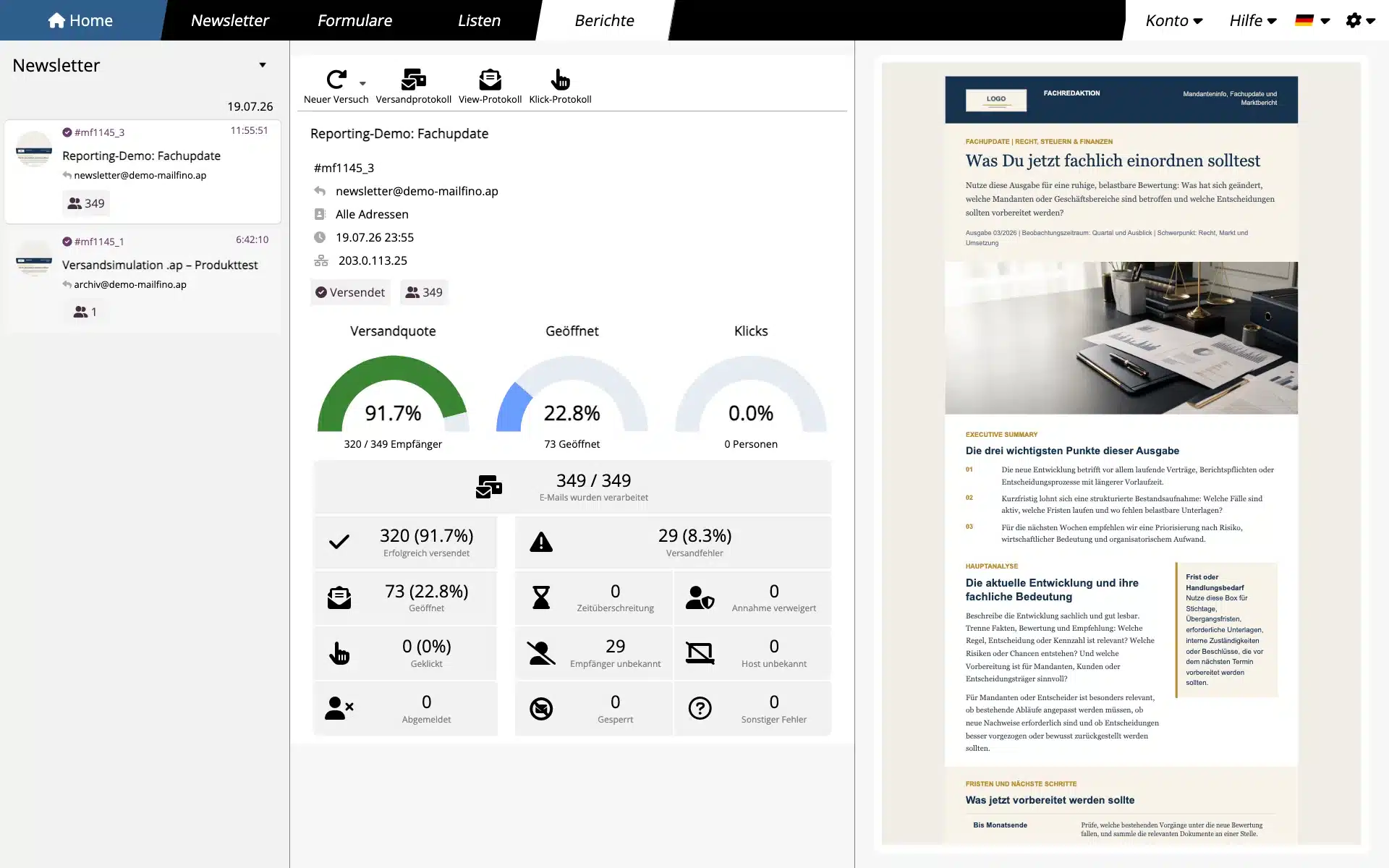
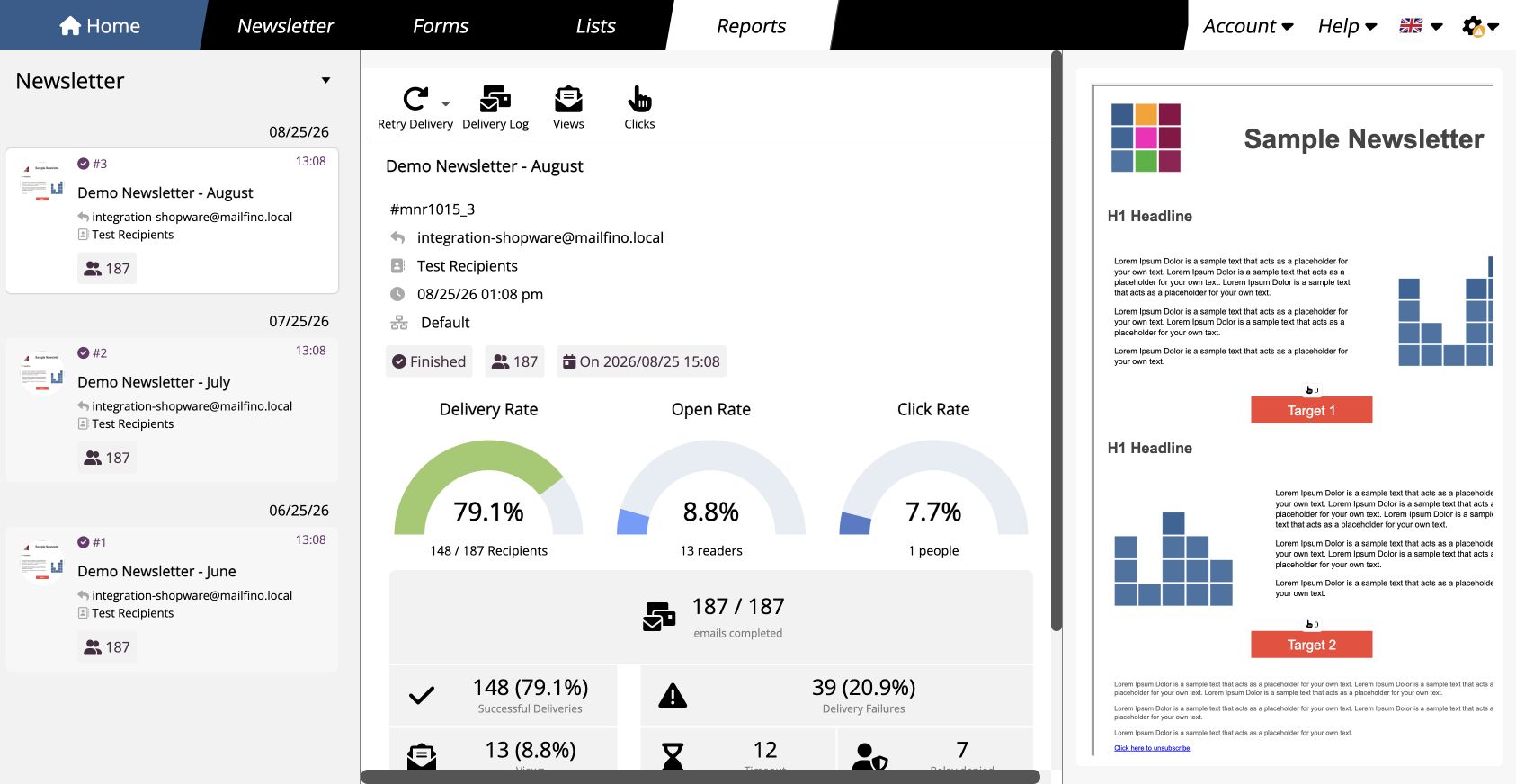
Versandfehler im mailfino-HandbuchDelivery failures in the mailfino handbook
