WOOCOMMERCE + MAILFINO
Professional newsletters for WooCommerce customers
Create newsletters using your WooCommerce customer, purchase and product data. Manage audiences and sending in mailfino, in the cloud or on your own infrastructure.
- Import customers and purchase data separately
- Use products from the imported data
- Cloud, self-hosted or Enterprise

ITS ROLE IN THE WOOCOMMERCE STACK
Use shop data without tying newsletter operations to WordPress
WooCommerce Core sends transactional emails. MailPoet adds newsletters and automation within WordPress, while AutomateWoo focuses on shop-triggered messages. mailfino gives planned newsletter campaigns their own workspace, with read-only WooCommerce access and a choice of deployment models.
CUSTOMERS
Recognize recipients
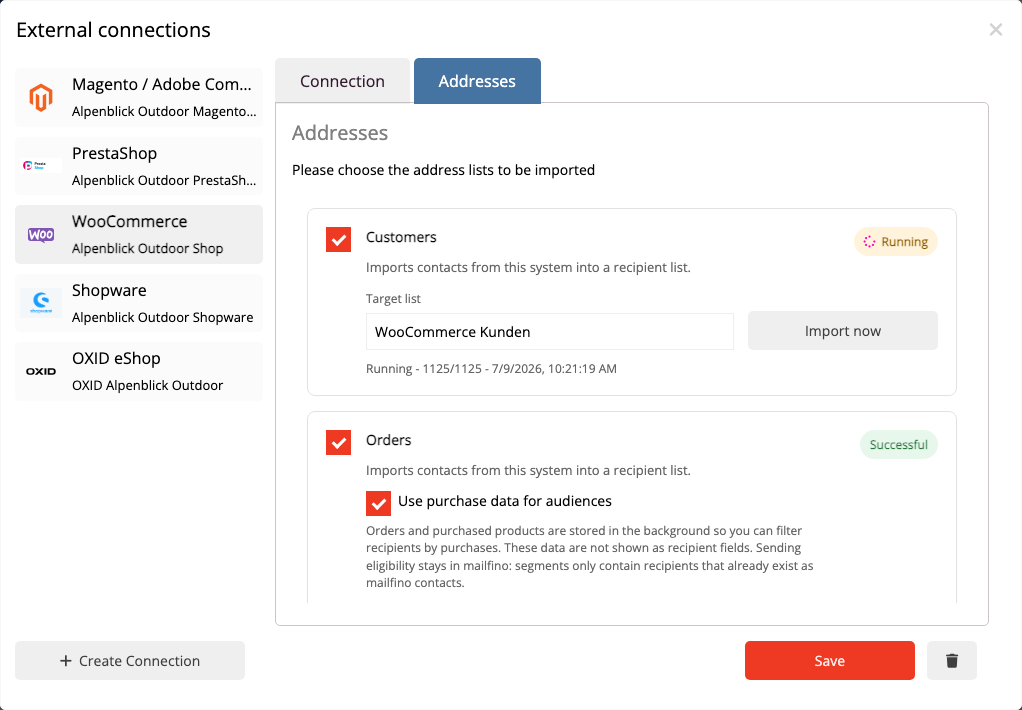
Import WooCommerce customers into a selected list and recognize them on a repeat import using their customer ID and import mapping.
ORDERS
Provide purchase data
Import completed orders and explicitly enable them for building audiences.
SEGMENTS
Select buyers precisely
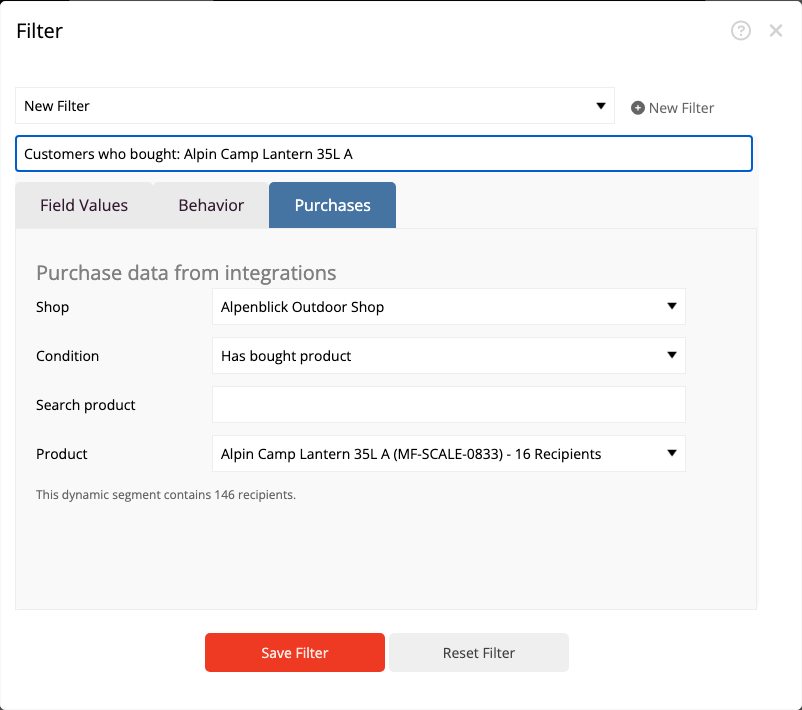
Filter existing contacts by products, categories, number of orders or revenue — separately from permission to send.
PRODUCTS
Use product cards
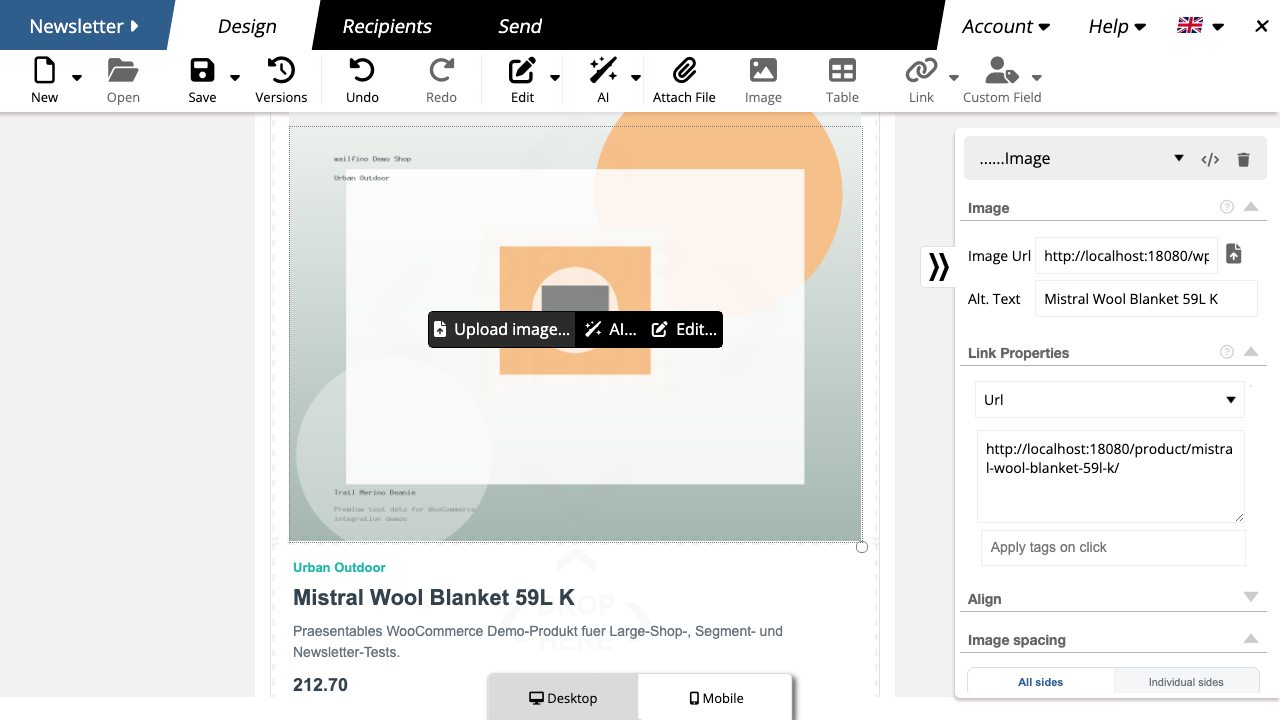
Search for products and import the image, name, description, price and link from the most recently imported data.
FROM PURCHASE TO THE RIGHT AUDIENCE
Keep purchase interest and permission to send clearly separate
Orders provide selection criteria, but do not automatically grant newsletter permission. mailfino applies purchase segments only to existing contacts; permission to send remains a separate requirement.
01 · IMPORT
Import orders
Import completed orders and enable “Use purchase data for audiences” in the import profile.
02 · SELECT
Build a purchase segment
Narrow down existing contacts by product, category, number of orders or revenue.
03 · CHECK
Check permission to send
Use only contacts for whom the appropriate permission to send exists and who are not subject to an unsubscribe or suppression.
SHOP PRODUCTS IN YOUR NEWSLETTER
Select, check and present products to suit your newsletter
Search for WooCommerce products by name, SKU or category and add the information you want to the newsletter editor. The content remains editable.
- Import the product image, name, short description, price and shop link.
- Review text and layout before sending.
- Select the product again when shop data changes; existing cards are not updated automatically.
NEWSLETTER SIGNUPS
Gain new subscribers independently of purchases
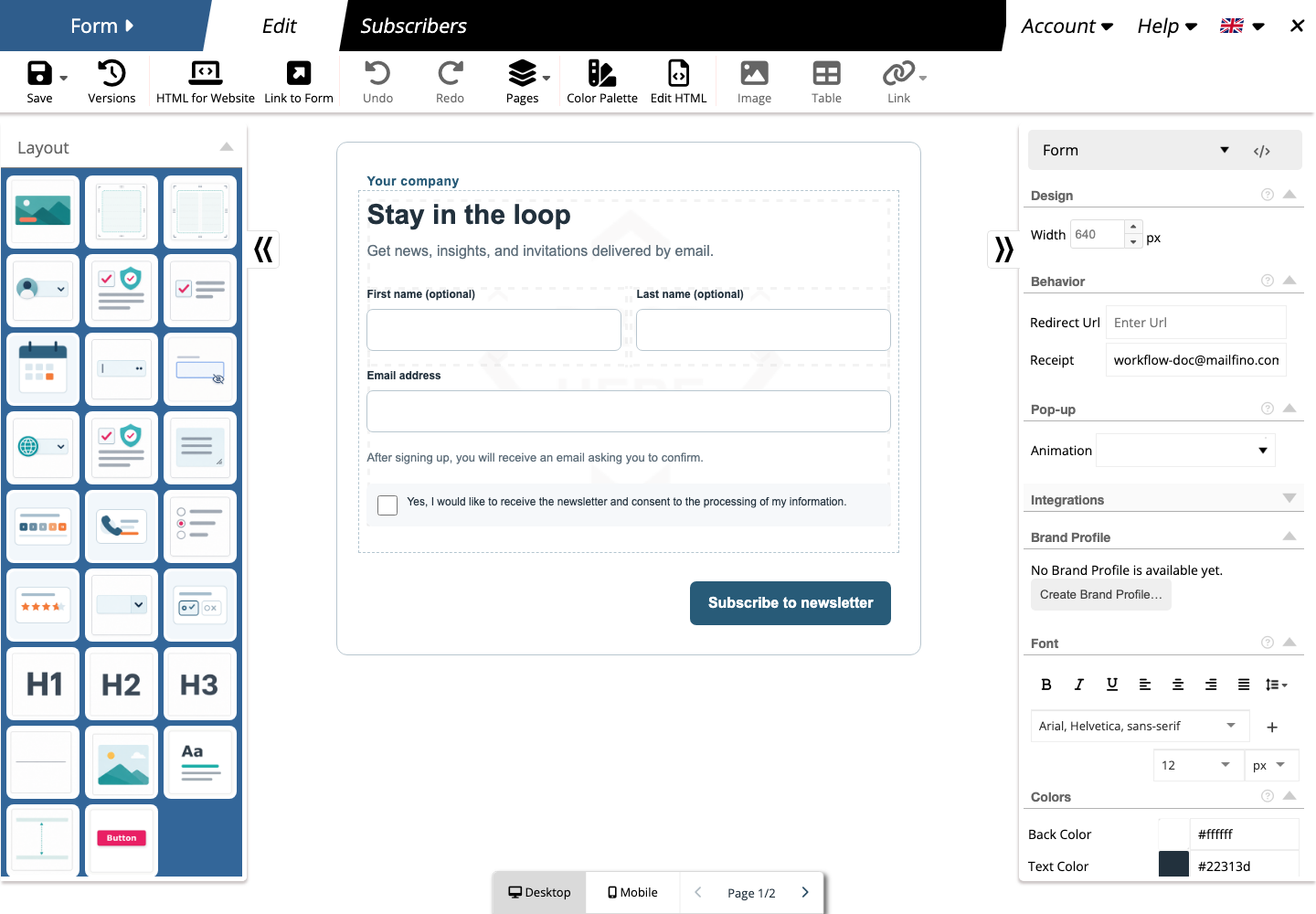
mailfino forms provide a separate signup route with double opt-in and list controls. The WooCommerce integration itself does not add a newsletter field to checkout.
- Create signup forms for your shop, landing pages or campaigns.
- Organize interests and audiences directly in mailfino.
- An existing WooCommerce consent meta key can serve only as an additional filter criterion and does not create permission to send.
READ-ONLY REST API INTEGRATION
Connect with read-only access
The connection uses a WooCommerce REST API key with read permissions. It does not write customers, orders or products back to the shop and does not synchronize in real time.
Cloud
Get started quickly without running mailfino yourself.
Self-hosting
Run the newsletter workspace on your own infrastructure to suit your shop. The integration is included in commercial Selfhosting; Selfhosting Lite does not include integrations.
Enterprise
Meet individual requirements for operations, integration and support.
Ready for newsletters with WooCommerce?
FAQ
Questions about the WooCommerce newsletter integration
Which WooCommerce data does mailfino import?
The documented features are customer imports, completed orders as purchase data, and product data for search and product cards.
How does mailfino recognize customers on a repeat import?
Matching uses the stable WooCommerce customer ID and the stored import mapping, not exclusively the email address.
Is shop data synchronized automatically?
No. Run the import profiles again to refresh data. Reimporting orders replaces the purchase data stored for this connection; do not rely on real-time synchronization.
Does an order import automatically create newsletter contacts?
No. Purchase segments use imported order data only to select existing contacts.
Does mailfino import consent from WooCommerce?
Not automatically. A consent meta key maintained in the shop can serve as an additional filter criterion, but does not replace permission to send as taken into account in mailfino.
Does the integration add a newsletter field to checkout?
No. mailfino forms are a separate signup route. Checkout customization is not part of the documented WooCommerce integration.
Do product cards stay synchronized with the shop?
No. A product card uses the most recently imported data. Changes to price, image or text do not automatically update newsletters that have already been saved.
Which access permissions does the integration need?
The documented connection uses the WooCommerce REST API with read permissions. Firewalls and security plugins must not block the required access to /wp-json/wc/v3/ .
