Email marketing for Magento Open Source
Targeted email marketing for your Magento shop
Create newsletters using Magento customers and completed orders. Select audiences by purchase history and add products to your content — in the cloud, self-hosted or with Enterprise.
- Update customers using their Magento ID
- Use purchases to build audiences
- Add products to newsletters

Magento remains your commerce foundation
Add a professional newsletter workspace to your shop
Magento Open Source already includes HTML and plain-text templates, subscriber management, double opt-in and a sending queue. mailfino adds a dedicated workspace for visual design, mobile optimization, purchase-based audiences, sending and reporting.
Import when needed: Customers and completed orders are imported through separate import profiles. There is no continuous real-time synchronization and no data is written back to Magento.
Magento
Customers, orders, products and categories
→
mailfino
Controlled import and stored purchase data
→
Newsletters
Purchase segment and linked product card
Native Magento
Suitable for basic shop newsletters with templates, subscriber management, double opt-in and sending through the Magento queue.
Cloud automation platforms
Suitable for extensive, trigger-based customer journeys when cloud operation and a broad range of automation features are the priority.
mailfino
Suitable for editorially planned newsletters with purchase-based audiences, product cards, professional reporting and a choice of Cloud, Selfhosting or Enterprise deployment.
Customers, purchases and products
Use Magento data for more relevant newsletters
CUSTOMERS
Keep customer details reliably up to date
Import Magento customers into mailfino. Repeat imports recognize and update the same contact using their Magento customer ID.
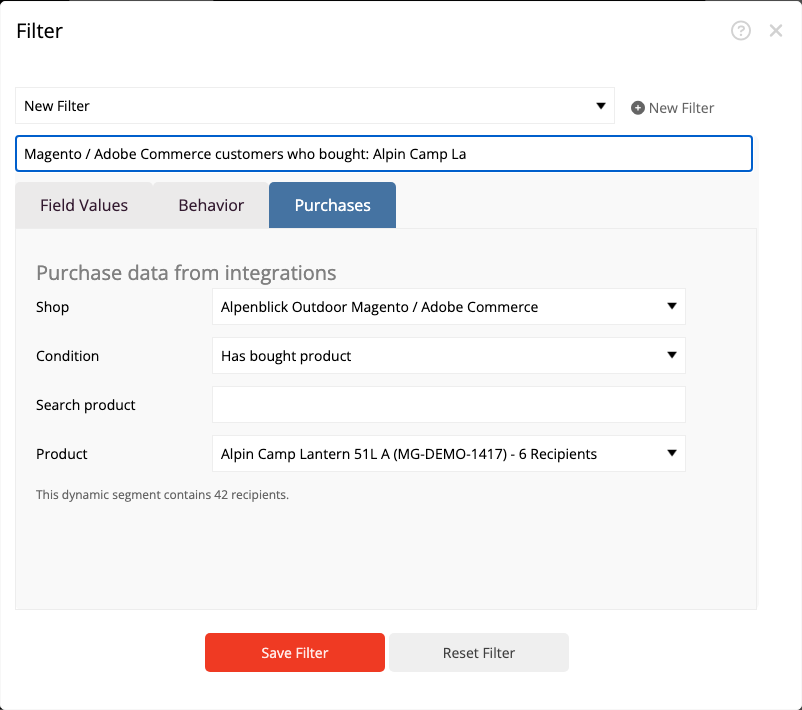
AUDIENCES
Target buyers precisely
Use completed orders to build audiences by purchase, product or category. Purchases are matched to existing contacts with the same email address.
PRODUCTS
Add shop products faster
Find products using search and add the product name, image, description, price and link to a customizable newsletter card.
Add shop products to your newsletter
Add shop products to newsletters without copying and pasting
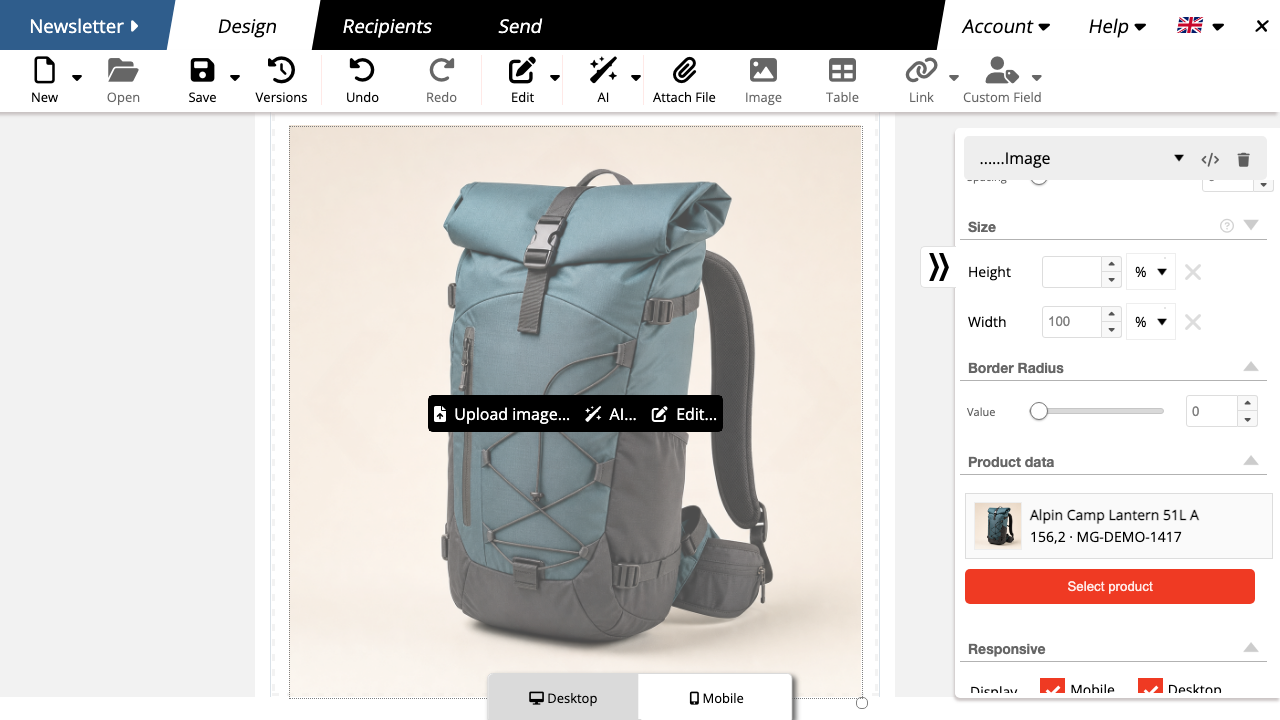
Use product data as your starting point
Select a product using search. mailfino adds the product name, image, description, price and link to a customizable product card.
- Import shop data without building the newsletter in the Magento backend.
- Review text, images and layout before sending.
- Check the product link and mobile layout in the preview.
Saved product cards do not update automatically when shop data changes. Select the product again to import current data.
Requirements and setup
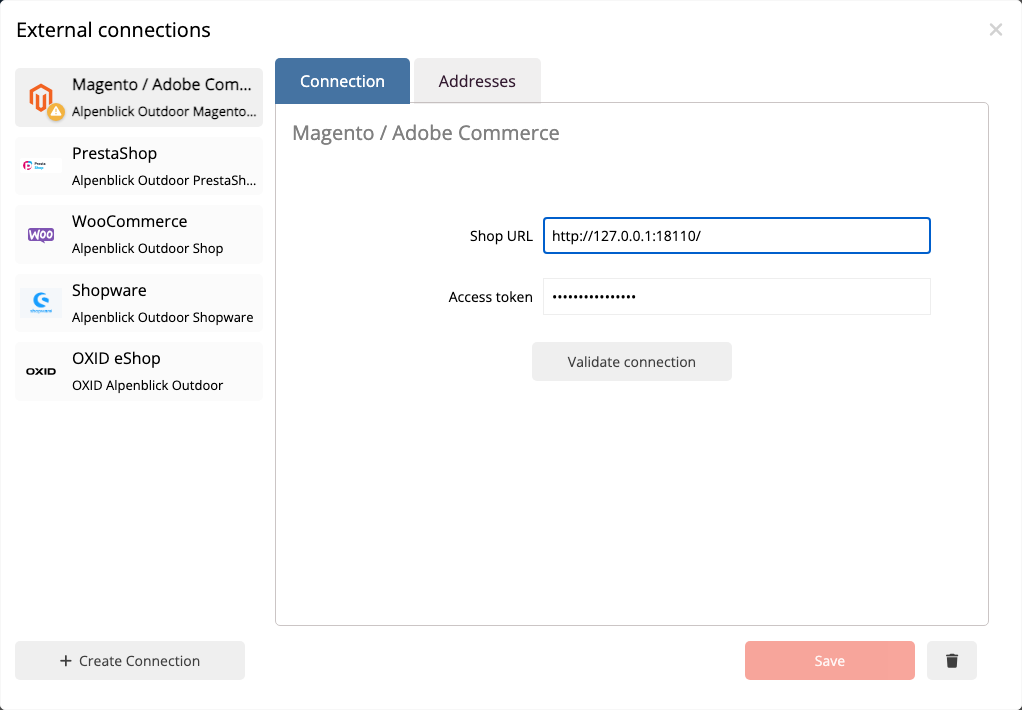
Connect Magento securely with read-only access
All you need for the connection is the shop URL and an activated Integration Access Token with the appropriate read permissions.
- Create a dedicated integration in Magento under System › Extensions › Integrations.
- For production use, restrict read permissions to customers, orders, products and categories.
- Activate the integration, transfer the access token securely and enter it in mailfino.
- Test the connection, then configure import profiles for customers and orders.
Purchase interest and permission to send
Reach buyers according to their interests and consent
Purchase data helps select relevant audiences. Permission to send, managed separately in mailfino, determines whether a contact may actually be contacted.
- Read-only access requires neither administrator credentials nor database access.
- The order import does not automatically create contacts from all buyers.
- Purchase segments include only existing mailfino contacts who match the purchase condition.
Cloud, self-hosted or Enterprise
Choose where your email marketing runs
Use the Magento integration in mailfino Cloud, run the newsletter platform yourself or integrate it into a tailored Enterprise environment.
CLOUD
Get started directly
mailfino is operated for you. Connect your publicly accessible Magento shop using the read-only access token.
SELF-HOSTING
Run it yourself
Run mailfino on your own infrastructure and allow the mailfino server to access the Magento REST API.
ENTERPRISE
Tailored integration
For larger organizations with individual requirements for operations, integration, security and support.
Ready for newsletters with Magento?
FAQ
Questions about the Magento integration
Why use mailfino when Magento already offers newsletter features?
Magento covers basic templates, subscribers and sending queues. mailfino adds a specialized editor, mobile design, purchase segments, product cards, sending controls and reporting within a dedicated newsletter process.
Which credentials does mailfino need?
The shop URL and an activated Integration Access Token are required. An administrator login and database access are not required.
Which permissions should the token have?
Read permissions for customers, orders, products and categories are sufficient for production use.
Is Magento data synchronized in real time?
No. Customers and orders are imported in a controlled way through separate import profiles. Reimporting customers updates contacts using the Magento customer ID; reimporting orders replaces the purchase data stored for the connection.
Which orders are used for purchase segments?
mailfino processes orders with the Magento status complete. To use purchase segments, you must also enable “Use purchase data for audiences” in the order import.
Can Magento categories be used for audiences?
Yes. mailfino resolves categories from the stored product data and can use them in purchase conditions.
Does mailfino import shop consent?
No. The current version does not evaluate a dedicated shop consent field. Permission to send must be managed in mailfino.
Can I self-host mailfino with Magento?
Yes. The integration is available in Cloud, commercial Selfhosting and Enterprise. Selfhosting Lite does not include integrations.
What should I consider with custom Magento URLs?
Product links are based on the stored url_key. Check the newsletter preview if you use special storefront routes or URL rules.
