Email marketing for JTL-Shop
Targeted email marketing for your JTL-Shop
Build newsletters around your JTL-Shop customers and purchases. Select audiences by product, category or customer value and add shop products to your content — in the cloud, self-hosted or with Enterprise.
- Import customers and orders
- Use purchase data to build audiences
- Add products to newsletters
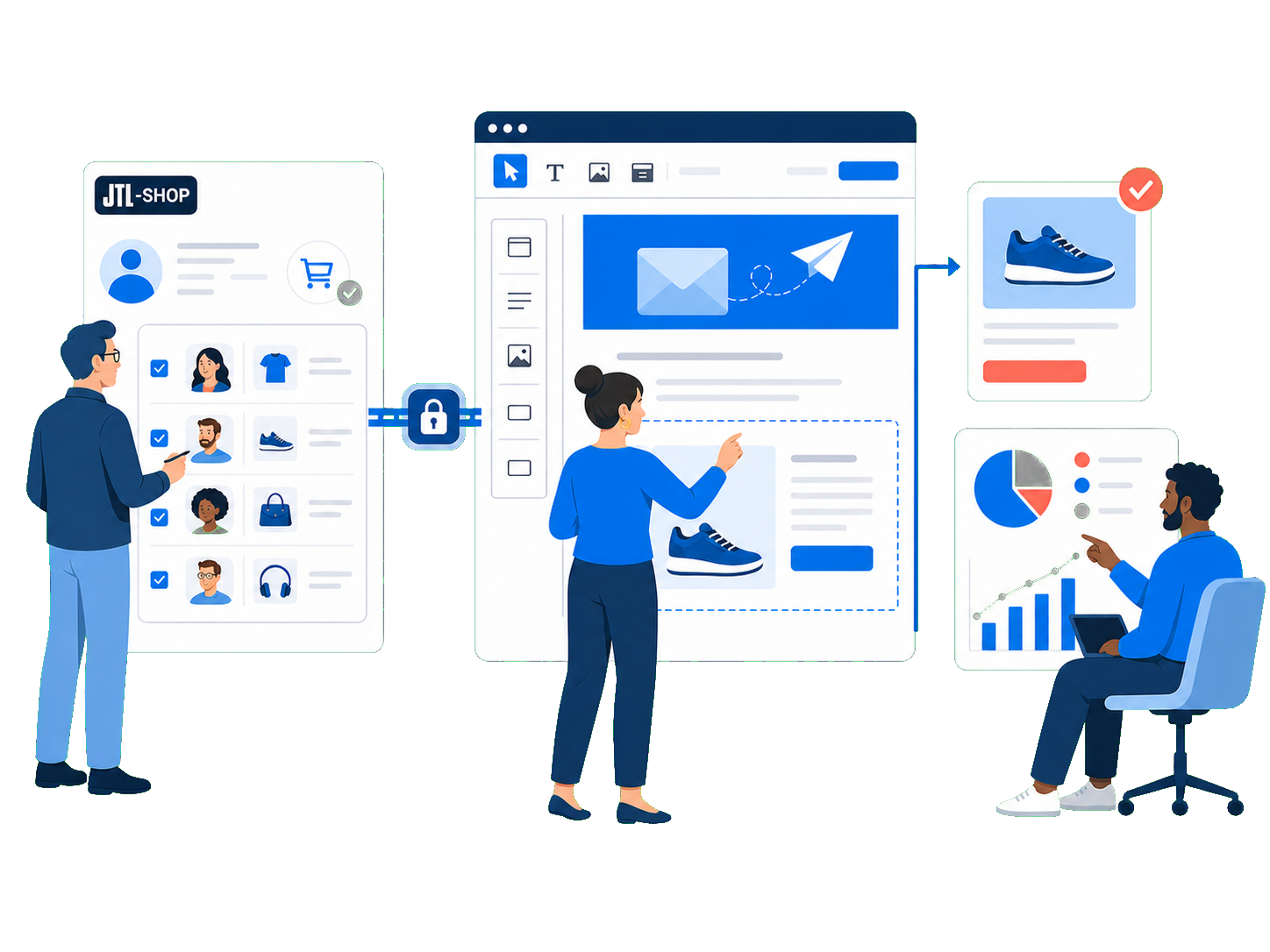
JTL-Shop remains your commerce foundation
Send more than basic shop newsletters
JTL-Shop offers templates, HTML and plain-text sending, previews, test sends, scheduling, double opt-in and subscriber management. JTL also describes the module as an entry-level solution, limits it to 100 newsletters per hour and recommends specialist plugins or external solutions for larger shops. This is where mailfino comes in.
Import when needed: Customers and orders are imported through separate import profiles, rather than continuously synchronized.
JTL-Shop
Customers, orders and products
→
mailfino Connector
Service user, API key and read permissions
→
mailfino
Recipients, purchase segments and product cards
Which newsletter solution suits your JTL-Shop?
Native JTL-Shop
For small recipient lists and basic shop mailings: Create and schedule newsletters directly in the shop and send them to confirmed subscribers.
Cloud automation platforms
For real-time behavior and automated flows: These solutions often focus on abandoned carts, triggers and continuous data synchronization.
mailfino
For planned newsletters using shop data: Combine purchase-based audiences, product cards, visual design, sending and reporting — in the cloud or self-hosted.
mailfino is not a solution for abandoned-cart or real-time automation. It focuses on planned campaigns, controlled imports and a choice of deployment models.
From shop to campaign
Use existing shop data for better newsletters
CUSTOMERS
Import JTL-Shop customers with an import profile
JTL-Shop customers with an email address are created or updated in mailfino.
ORDERS
Import orders as purchase data
A separate import profile imports orders as purchase data for segments, product filters and product cards.
FILTERS
Select by product, order count or revenue
The documented purchase conditions include product, category, number of orders and revenue.
PRODUCT CARDS
Add shop products
Product name, image, description, price and link are populated from the stored product data.
SEARCH
Search large catalogs precisely
Product filters and the editor load search results rather than the entire JTL-Shop catalog.
CONNECTOR
Grant access only to the shop data you need
Read permissions for customers, orders and products are enabled separately in the plugin.
Relevance from real purchases
Reach buyers by product, category or customer value
After importing orders, create dynamic audiences from JTL-Shop purchase data. Filter by whether a contact has made a purchase, which product or category they bought, how many orders they placed or how much revenue they generated.
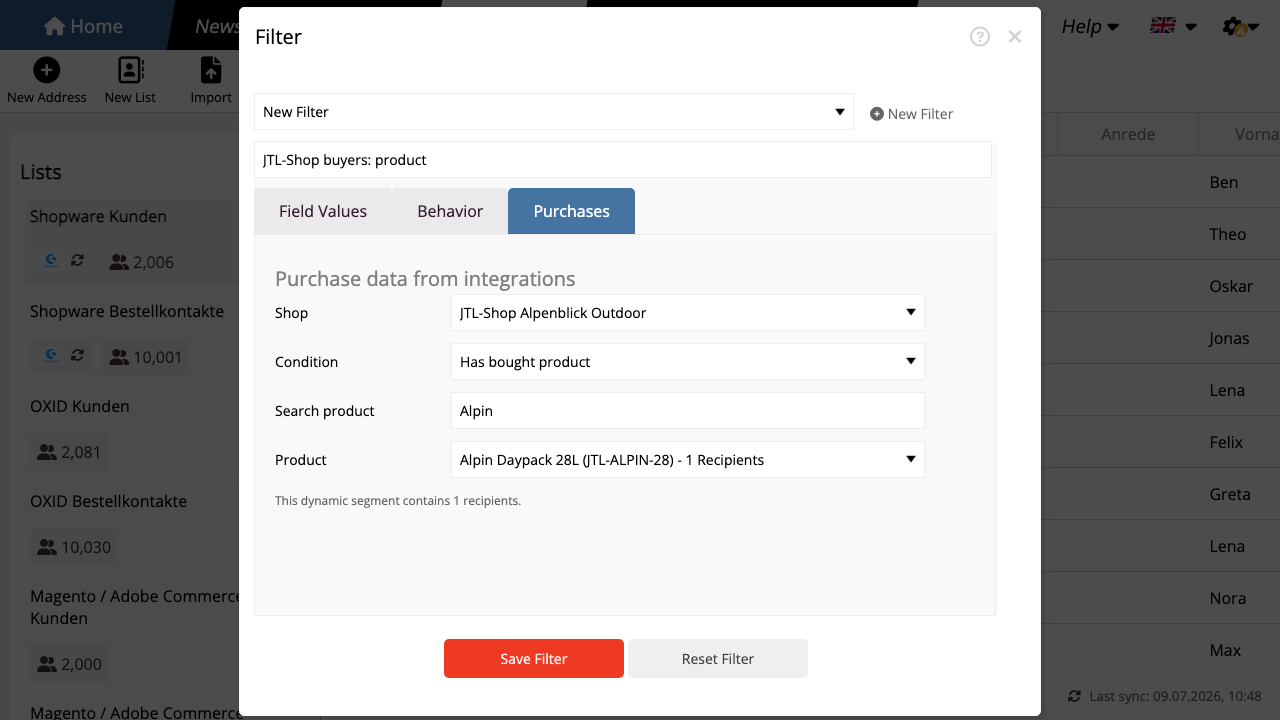
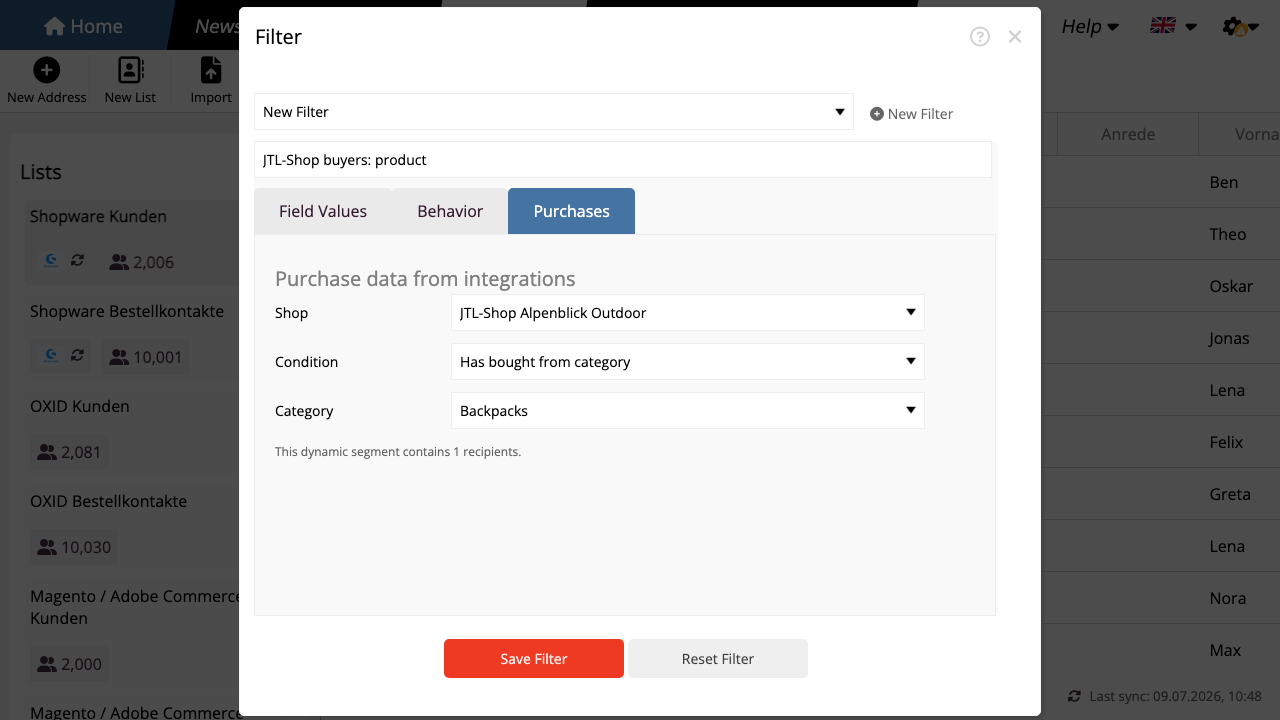
Important: The calculated recipient count includes only contacts already in mailfino who match the purchase condition. Purchase data determines relevance, not permission to send.
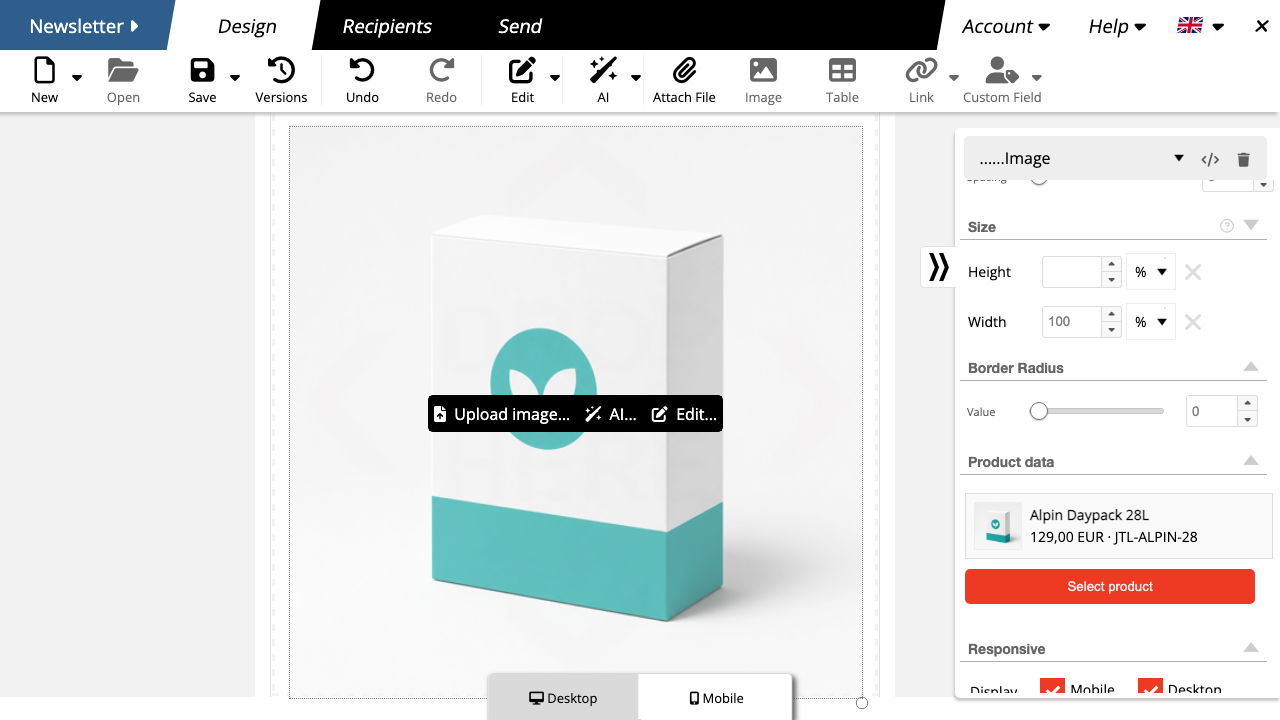
Shop products as newsletter building blocks
Add JTL-Shop products to newsletters faster
Insert a product card in the visual editor, select the JTL-Shop connection and search for the product you want. mailfino populates the card from the stored product data.
- Combine product cards with editorial content.
- Check the layout for desktop and mobile devices.
- Check the content with a test email before sending.
Saved product cards do not update automatically when the shop changes later. Select the product again to import a new price, text or image.
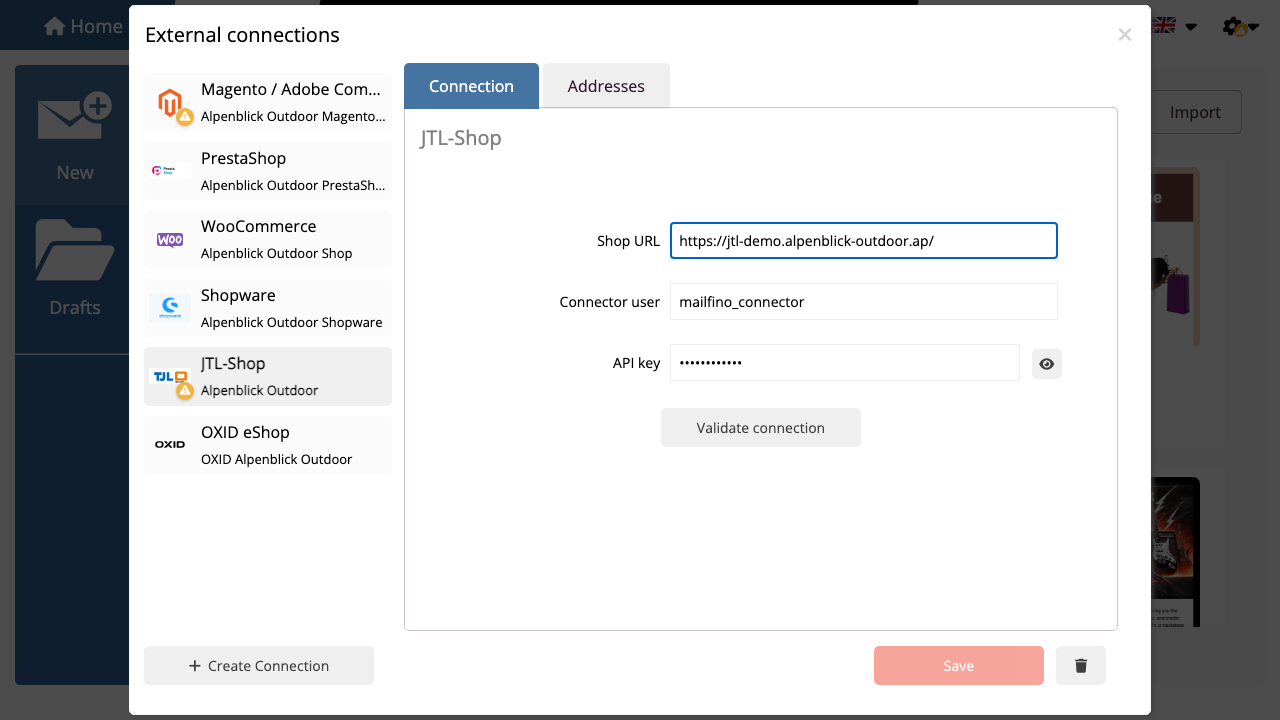
Read-only connector with limited permissions
Connect JTL-Shop without separate database credentials
The connector is available to download when you create the connection in mailfino. It uses the shop's existing database connection and provides read-only access to the resources you enable.
Install the connector once in the shop. Marketing teams then work in mailfino with import profiles, audiences and product cards.
- Download and extract the connector, then copy it to the JTL-Shop plugin directory.
- Install and activate the plugin in JTL-Shop administration.
- Set a connector service user, a long API key and the required read permissions.
- Enter the shop URL, user and API key in mailfino, check the connection and create import profiles.
Consent, data protection and limitations
Purchase history is a filter, not permission to send
Importing orders alone does not turn shop buyers into newsletter recipients. mailfino sends only to existing contacts with valid permission to receive the mailing.
Shop data for relevance
Customer and purchase data helps build audiences and select suitable products. A purchase alone does not constitute newsletter consent.
mailfino for permission
Forms, double opt-in, unsubscribes and suppression lists in mailfino control who may actually be contacted.
Deployment that suits your shop
Run newsletters in the cloud or on your own infrastructure
Use mailfino as a cloud solution, run the platform yourself or agree individual requirements through Enterprise. For self-hosted JTL environments in particular, this keeps the newsletter process under your control too.
CLOUD
Get started directly
Use mailfino as a managed cloud solution without running another application yourself.
SELF-HOSTING
Control your own data
Run your shop and newsletter platform on infrastructure you choose. Selfhosting Lite does not include integrations.
ENTERPRISE
Find an individual fit
Address complex requirements for operations, integration, security and support through the Enterprise offering.
Ready for newsletters with JTL-Shop?
FAQ
Questions about the JTL-Shop newsletter integration
Why use mailfino when JTL-Shop can already send newsletters?
JTL describes its own module as an entry-level solution that sends a maximum of 100 newsletters per hour. mailfino adds a specialized visual editor, mobile design, purchase segments, product cards, sending and reporting within a dedicated newsletter process.
Does the JTL-Shop integration synchronize in real time?
No. Customers and orders are imported through separate import profiles. These imports can be run again. The connector is read-only and does not write data back to JTL-Shop.
Does mailfino need credentials for the JTL-Shop database?
No. The connector uses the shop's existing database connection. mailfino receives only the shop URL, connector user and API key.
Which data can the connector read?
Customers, orders and products are documented. The corresponding read permissions are enabled in the plugin settings.
Which orders are used for purchase segments?
The order import imports completed orders with an email address as purchase data. It does not create newsletter contacts; a separate customer import profile handles that.
Which JTL-Shop purchase segments are possible?
You can filter by purchase, product, category, number of orders or revenue, provided the required orders have been imported.
Are shop buyers automatically created as contacts?
The order import does not create contacts. A separate customer import profile handles that; permission in mailfino remains the deciding factor for sending.
Does mailfino import newsletter consent from JTL-Shop?
Manage permission to send in mailfino, separately from purchase data and segments. Do not rely on JTL-Shop newsletter status being imported automatically.
How are products in newsletters updated?
Run the order import again and select the product again in an already saved card.
What does the connector require?
The mailfino plugin must be installed and activated in JTL-Shop. The shop and connector endpoint must be reachable by mailfino. A connector service user, a long API key and the appropriate read permissions are required. Specific version compatibility is checked against the current connector package.
Can mailfino be self-hosted to suit JTL-Shop?
Yes. The JTL-Shop integration can be used with mailfino Cloud, Selfhosting and Enterprise.
