ESPOCRM + MAILFINO
Reach EspoCRM contacts with professional newsletters
Create newsletters for your EspoCRM contacts or Target Lists. Design and send in mailfino, then return form data and selected newsletter events to your CRM.
- Contacts and target lists
- Forms and Contact Stream
- Cloud, self-hosted or Enterprise
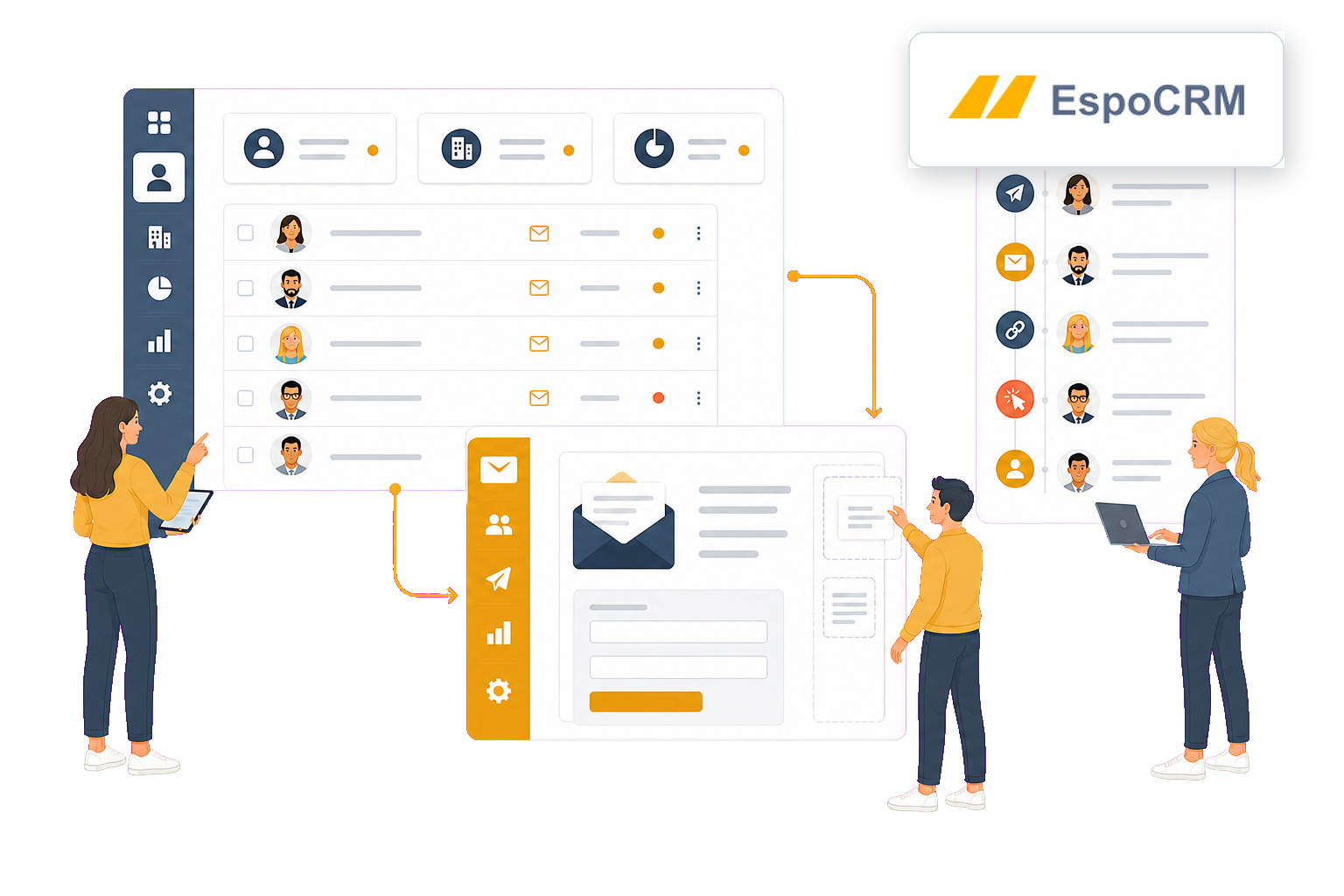
ESPOCRM REMAINS YOUR CONTACT DATABASE
Give your CRM contacts a dedicated newsletter workspace
EspoCRM already offers campaigns, mass email, target lists, opt-out, tracking, statistics and Web-to-Lead with double opt-in. mailfino is an alternative for teams that want to handle newsletter design, mobile optimization, forms, sending and reporting in a dedicated email marketing system.
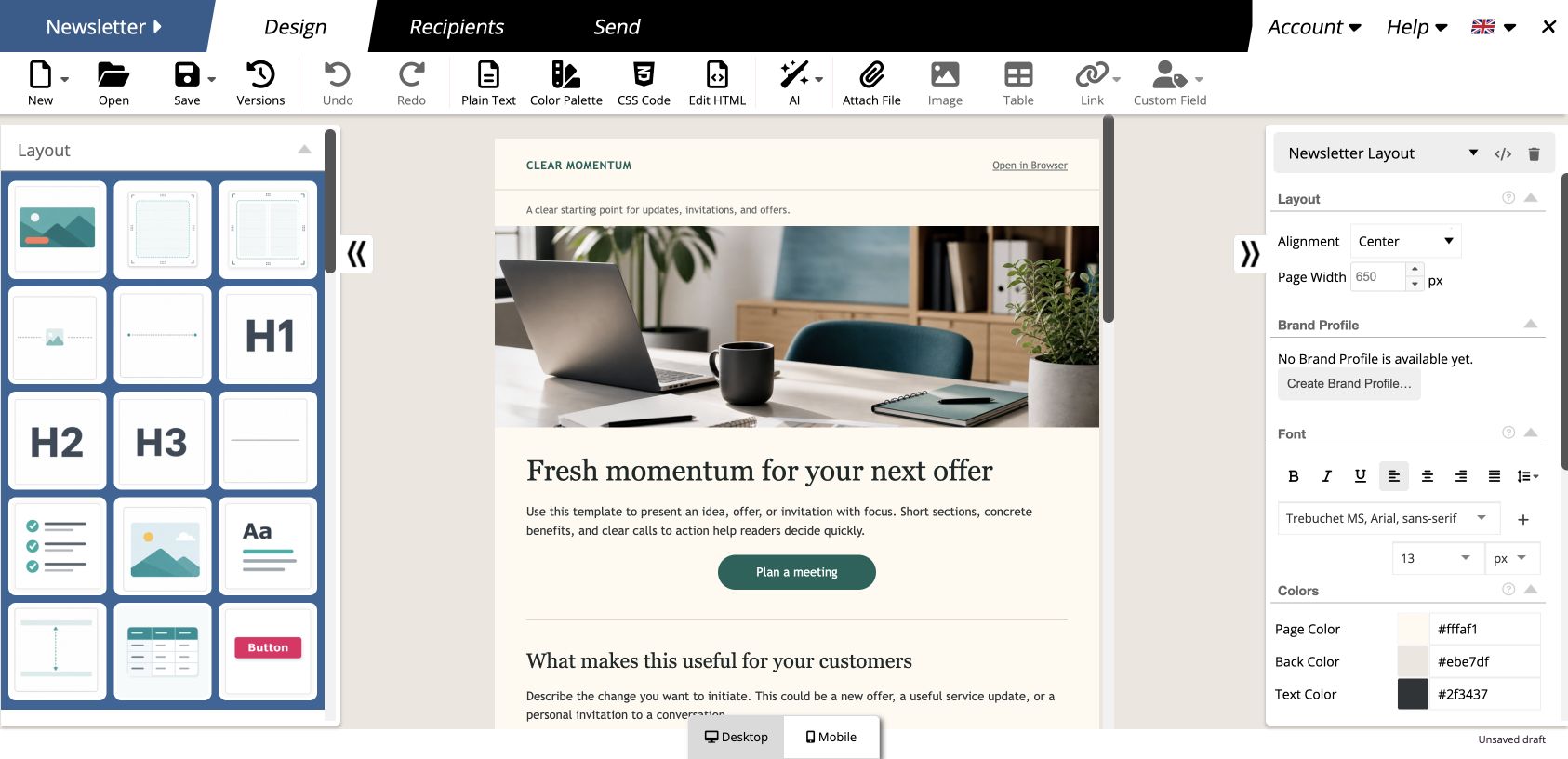
- Design newsletters visually with drag and drop
- Customize desktop and mobile views
- Choose a newsletter deployment model that fits your infrastructure
NATIVE ESPOCRM
Campaigns directly in your CRM
A good fit when Target Lists, email templates, mass email, opt-out and campaign statistics within the CRM meet your needs.
MAILFINO
Newsletters as a separate process
Bring visual design, mobile editing, forms, sending and reporting together in a dedicated email marketing tool.
CLEAR RESPONSIBILITIES
Retain relevant CRM context
Keep contacts and audiences in EspoCRM, and choose which form data and newsletter events to send back.
CONTACTS AND TARGET LISTS
Use EspoCRM audiences without repeatedly transferring files
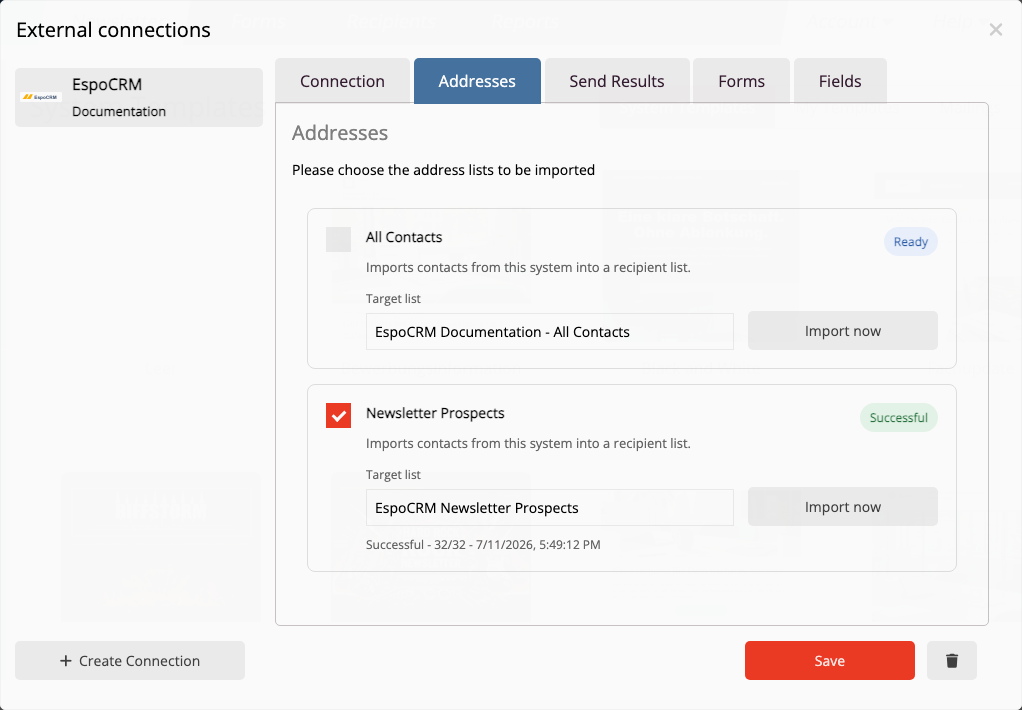
Import all contacts accessible to the API user, or choose a single Target List as a defined import source.
- Map email, name, company, job title, phone number and address
- Assign the selected records to a mailfino list
- Update already linked contacts by their EspoCRM ID when importing again
No real-time sync: Imports and repeat imports are triggered in mailfino. Contacts removed from EspoCRM are not automatically deleted from mailfino.
01 · EspoCRM
Organize your audience
Maintain contacts or group them in Target Lists.
→
02 · mailfino
Import recipients
Map the source and fields to a newsletter list.
→
03 · Newsletter
Design and send
Create, check and send content, then analyze the results.
FORMS AND FIELD MAPPING
Update CRM contacts and interests from your forms
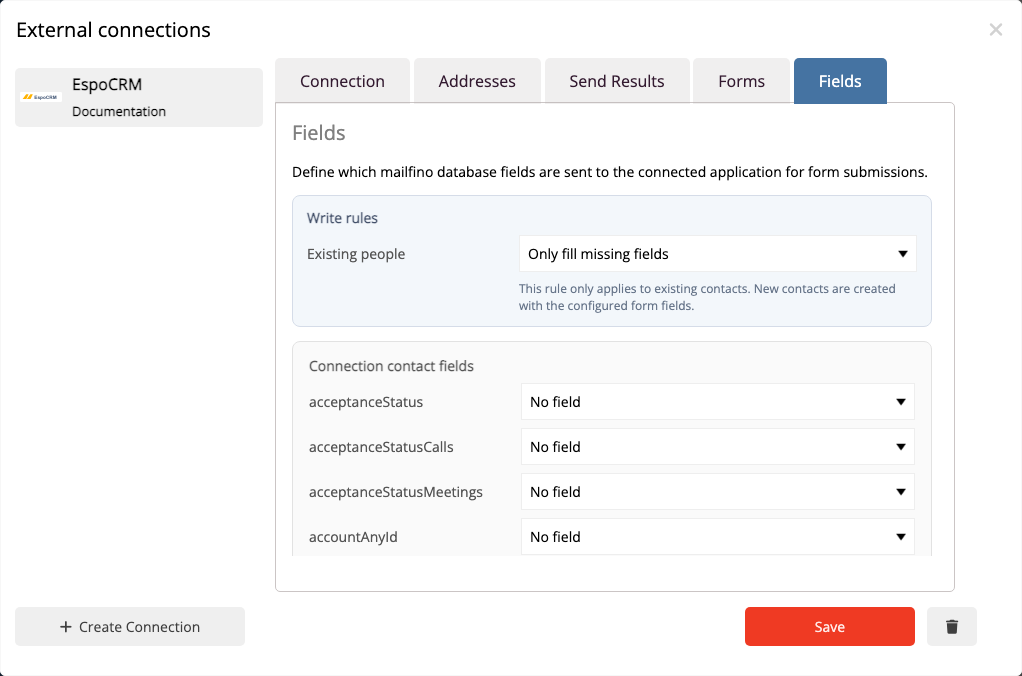
mailfino forms can create or update an EspoCRM contact. You choose which form fields map to writable Contact fields and whether to add a Target List relationship.
- Update exactly one contact matching an exact email address
- Create a new contact when there is no match
- Flag multiple matches for review and avoid duplicate Target List relationships
Consent remains a separate process: Assignment to a Target List does not automatically confer permission to send. mailfino remains the authoritative system for unsubscribes and suppressions.
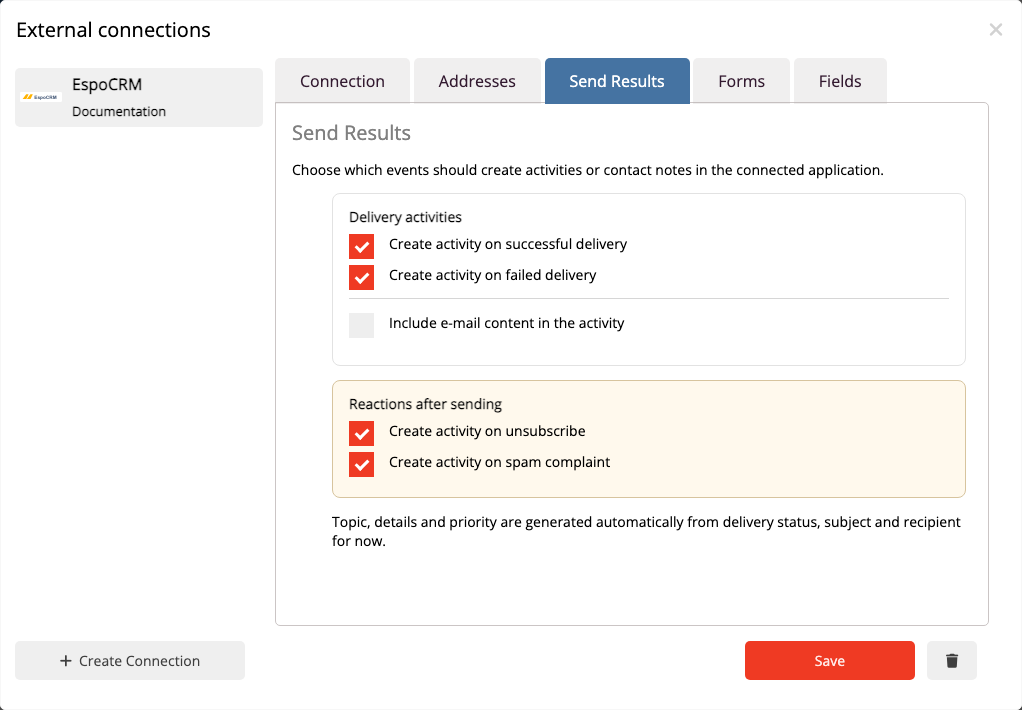
NEWSLETTER CONTEXT IN THE CONTACT STREAM
Show important sending events directly on the contact
Selected events appear as posts in the linked contact's stream. Sales and service teams see relevant newsletter context where they already work.
- Record successful and failed deliveries
- Make unsubscribes and complaints visible
- Keep repeated events from creating duplicate posts
These posts keep your CRM team informed. Sending permissions, suppression lists and unsubscribes are still managed in mailfino.
DEPLOYMENT THAT FITS YOUR ESPOCRM STRATEGY
Keep your choice of deployment for email marketing too
Use mailfino in the cloud, run the platform yourself or integrate it into a tailored Enterprise environment. Selfhosting Lite does not include integrations.
CLOUD
Get started directly
mailfino is operated for you and accesses your reachable EspoCRM instance through the dedicated API user.
SELF-HOSTING
Run both systems yourself
Run EspoCRM and mailfino on infrastructure you control and allow only the API access you need.
ENTERPRISE
Tailored integration
For larger organizations with individual requirements for operations, security, integration and support.
Limit access with a dedicated EspoCRM role
A dedicated API user receives only the permissions actually needed for importing, forms and Contact Stream posts. The technical setup is covered in the manual.
Ready for newsletters with EspoCRM?
FAQ
Questions about the EspoCRM newsletter integration
Can EspoCRM send newsletters itself?
Yes. EspoCRM supports campaigns, newsletter and email campaigns, mass email, Target Lists, opt-out, tracking, campaign logs and statistics. mailfino adds a specialist newsletter workspace and a choice of deployment models.
Can EspoCRM handle forms and double opt-in itself?
Yes. EspoCRM Web-to-Lead supports lead capture, embedded web forms and confirmed opt-in. mailfino is useful when forms should connect directly with mailfino's newsletter process and its authoritative sending permissions.
When is it worth using mailfino alongside EspoCRM?
When your team wants to design newsletters in a specialist visual editor, customize the mobile layout and use forms, sending and reporting in a dedicated email marketing system.
Which contacts can mailfino import?
All contacts accessible to the API user or a single visible Target List are available as sources.
Is this real-time synchronization?
No. Changes are imported through an import or repeat import; EspoCRM webhooks are not currently received. Contacts removed from EspoCRM are not automatically deleted from mailfino.
How are contacts recognized when importing again?
mailfino stores the EspoCRM Contact ID as an external key. The same CRM record is updated during a repeat import rather than created again. A Contact that is deleted and created anew has a new ID.
What happens when a form is submitted?
If exactly one email match is found, it is updated. If no match is found, a new Contact is created. Multiple matches are flagged for review. The Contact can optionally be assigned to a Target List.
How are consent and unsubscribes handled?
Linking a contact or assigning a Target List does not replace permission to send. mailfino remains authoritative for suppressions and unsubscribes; selected unsubscribe events can additionally appear as information in the Contact Stream.
Which events can appear in the Contact Stream?
Successful and failed deliveries, unsubscribes and complaints are supported. A stable marker prevents duplicate posts when the same event is repeated.
Which deployment models are available?
The integration can be used with mailfino Cloud, commercial self-hosted editions and the Enterprise model. Selfhosting Lite does not include integrations.
What is needed for the connection?
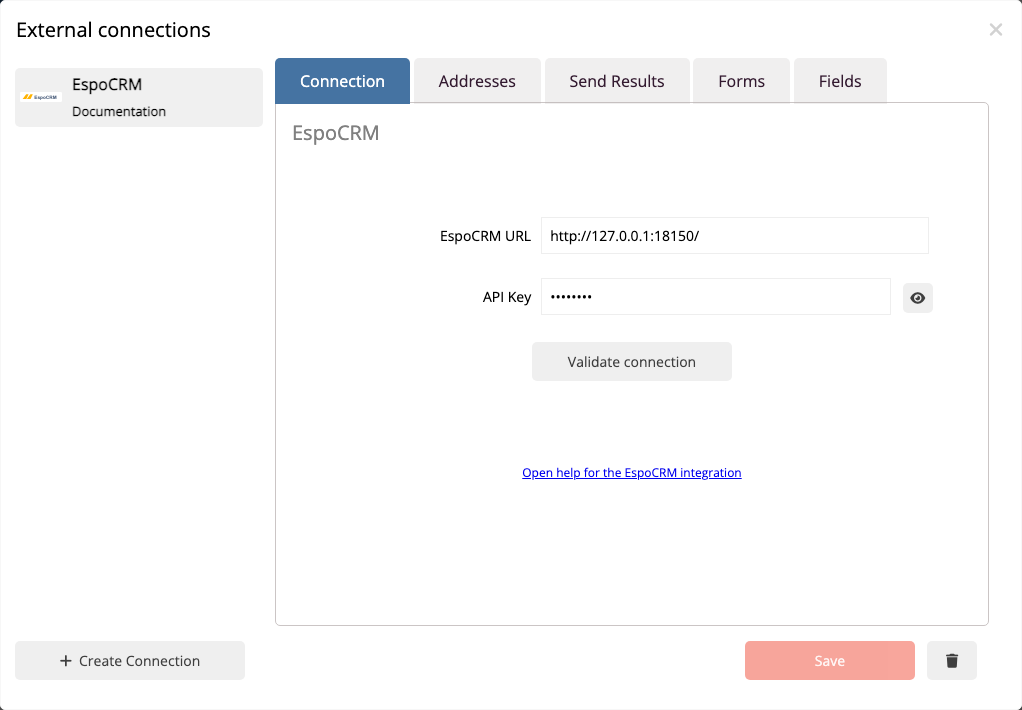
You need a reachable EspoCRM REST API, an active dedicated API user and an appropriate role. Permissions depend on whether you only import or also use forms, Target Lists and stream posts.
