Sending & reporting
Send newsletters. Understand results.
Send your newsletters immediately or at your preferred time. Keep track of opens, clicks and unsubscribes, and identify potential delivery issues.

Delivery reports and sending logs
Understand results at a glance
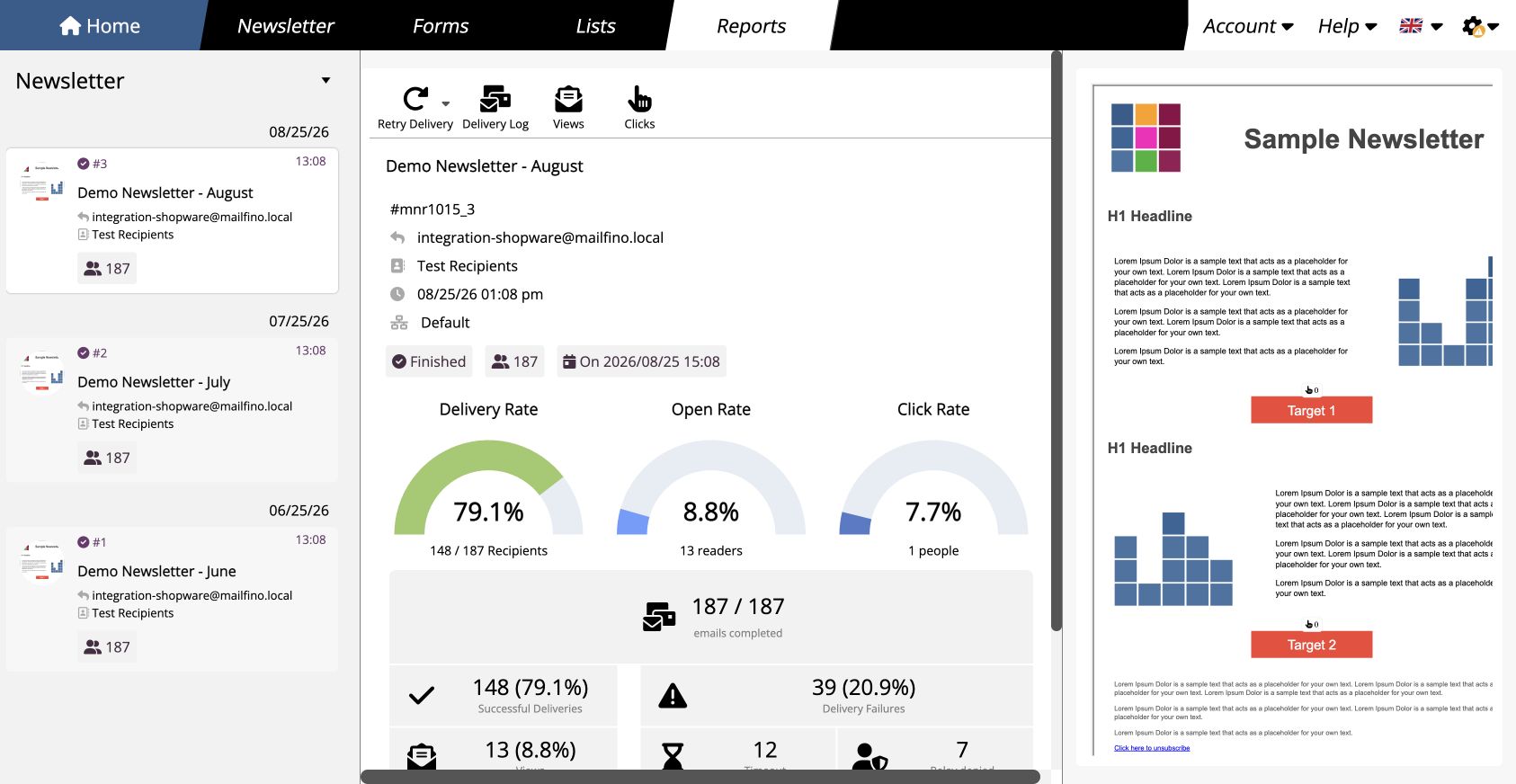
See delivery progress, recorded engagement and any delivery issues. Each report covers one newsletter and its delivery results.
- Keep track of sending status and recipient count
- Analyze opens and clicks according to your tracking settings
- Identify unsubscribes and blocked addresses
Follow the sending process in detail
Check the sending log to see which addresses were processed and where errors occurred. Error categories and technical feedback help you narrow down the cause of delivery issues.
Honor unsubscribes
Unsubscribes appear in the report. Blocked addresses are excluded from future newsletter sends.
Open analytics
Put opens into context
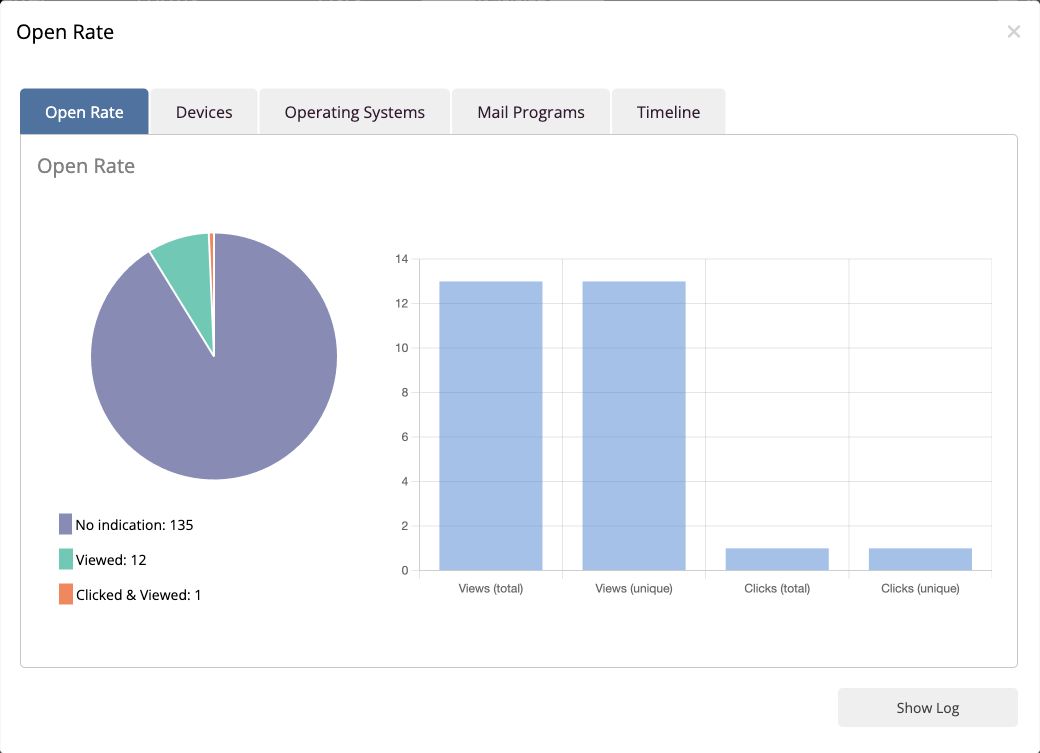
Find out which devices and email clients recorded opens come from. The timeline shows when opens were recorded.
- Distinguish between desktop, tablet and smartphone
- View detected operating systems and email clients
- See recorded opens over time
Use these insights to review the design and timing of your next newsletters.
Tracking and web analytics
Decide what gets measured
For each send, choose whether opens and clicks should be recorded and linked to individual recipient addresses. Configure this setting according to your analytics goals and applicable data protection requirements.
Analyze with Google Analytics and Matomo
Enable campaign tagging and assign a campaign name. mailfino adds the appropriate parameters to eligible newsletter links. This lets you analyze visits from your newsletters in your configured analytics system.
Ready to send your next newsletter?
Frequently asked questions
Questions about sending and reporting
Can I send a test email before sending the newsletter?
Yes. Send your draft to a single address and check the newsletter in your email client.
Can I schedule a newsletter or spread out sending?
Yes. You can start immediately, set a date and time, or spread sending evenly over hours or several days.
What do the delivery report and sending log show?
The report summarizes sending status, recipient count, unsubscribes and errors. Depending on your tracking settings, it also includes opens and clicks. The sending log lets you review how individual addresses were processed and see technical error messages.
Can I turn off open and click tracking?
Yes. You can disable tracking or use it without linking events to addresses. Linking events to individual recipient addresses requires the relevant account permission.
What information does open analytics provide?
It shows the open rate, detected devices, operating systems and email clients, as well as recorded opens over time. A recorded open is not proof that the newsletter was actually read.
Can I use Google Analytics or Matomo?
Yes. Enable campaign tagging before sending and enter a campaign name. mailfino adds campaign parameters to eligible links. Analysis takes place in your appropriately configured analytics system.
